 OnlyList
All features
Features for real tasks, not fantasy productivity.
Everything OnlyList does, on one page. Most of it is free. The rest is a fairly priced Premium, and nothing here is shouty.
Today
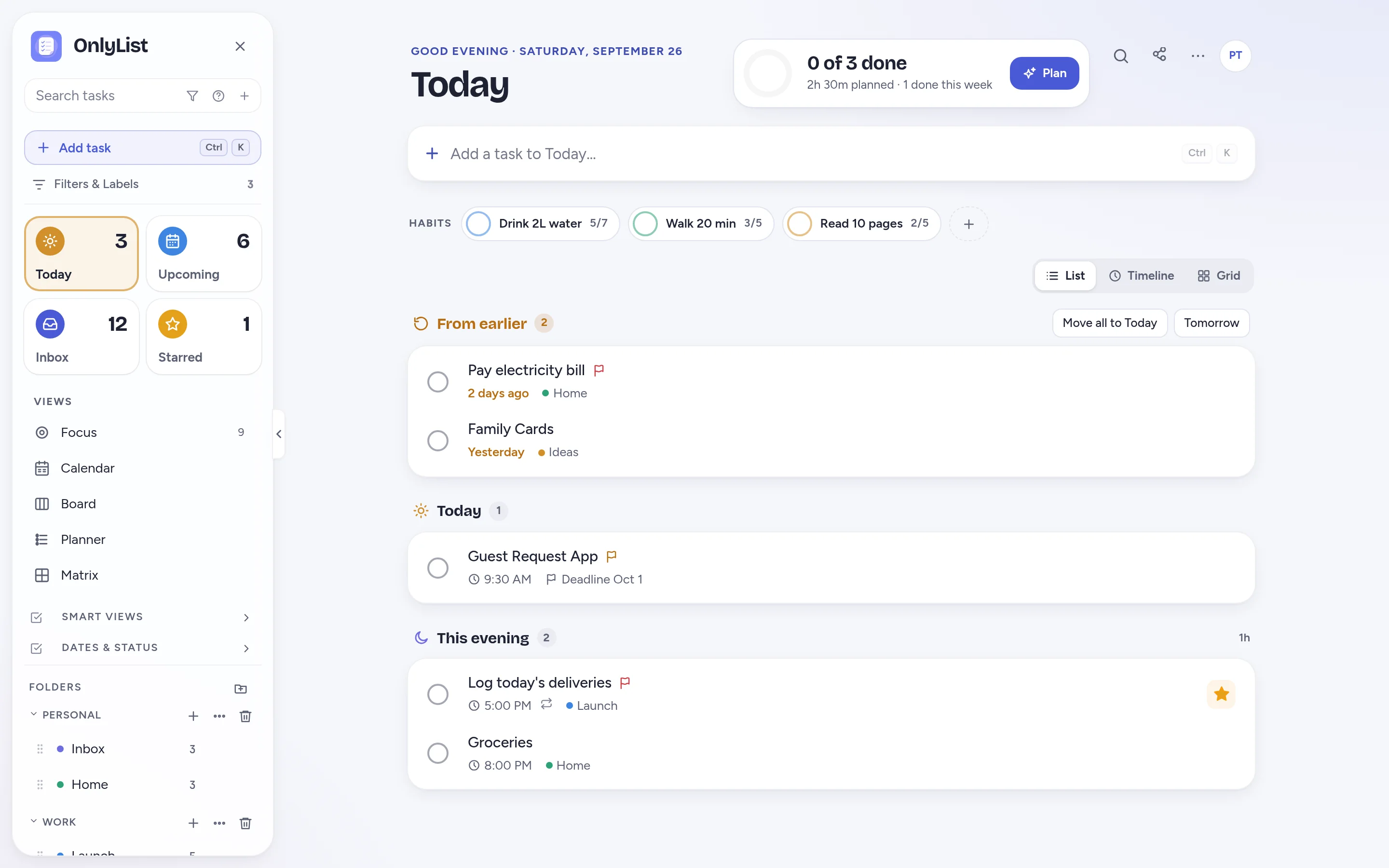
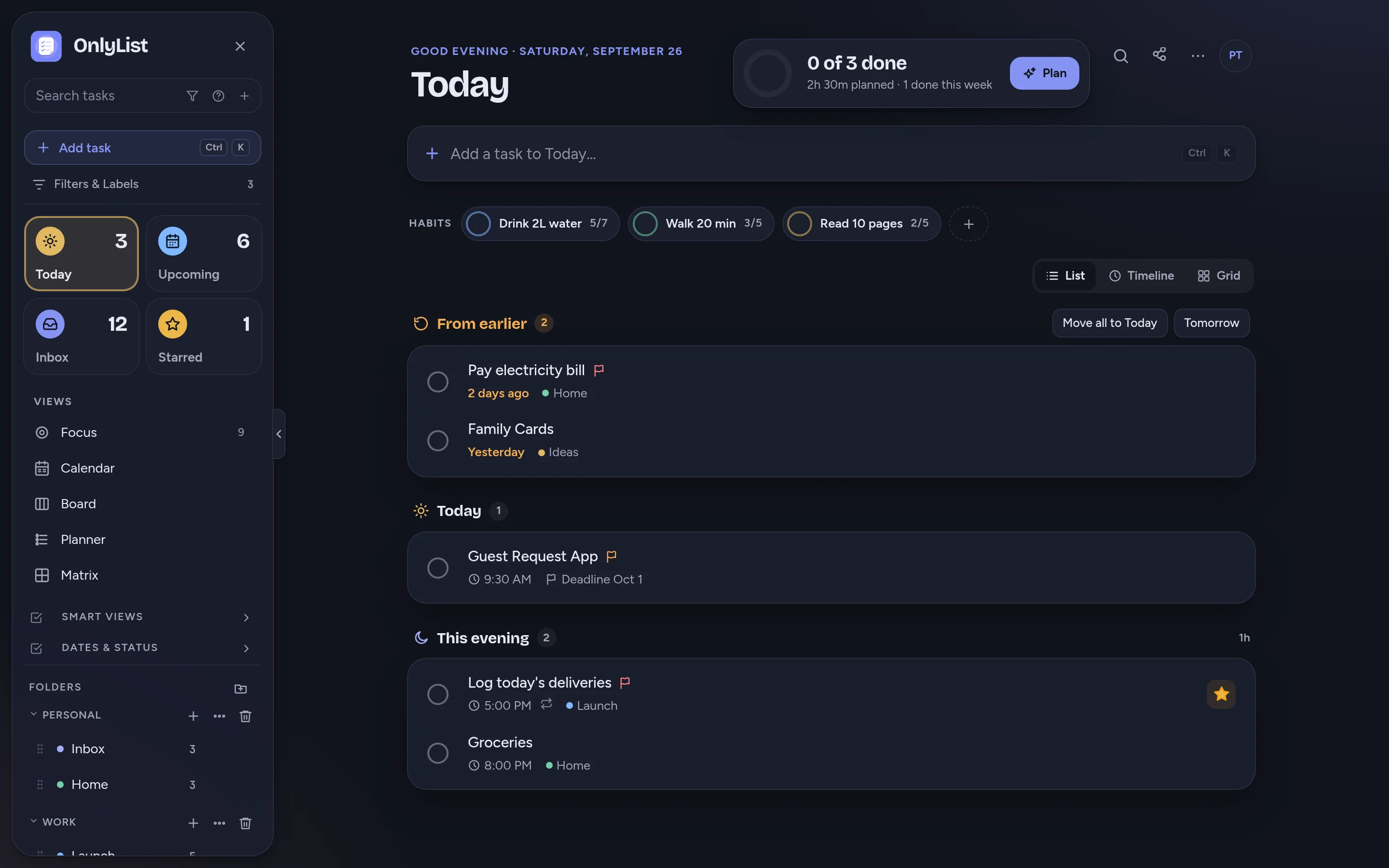
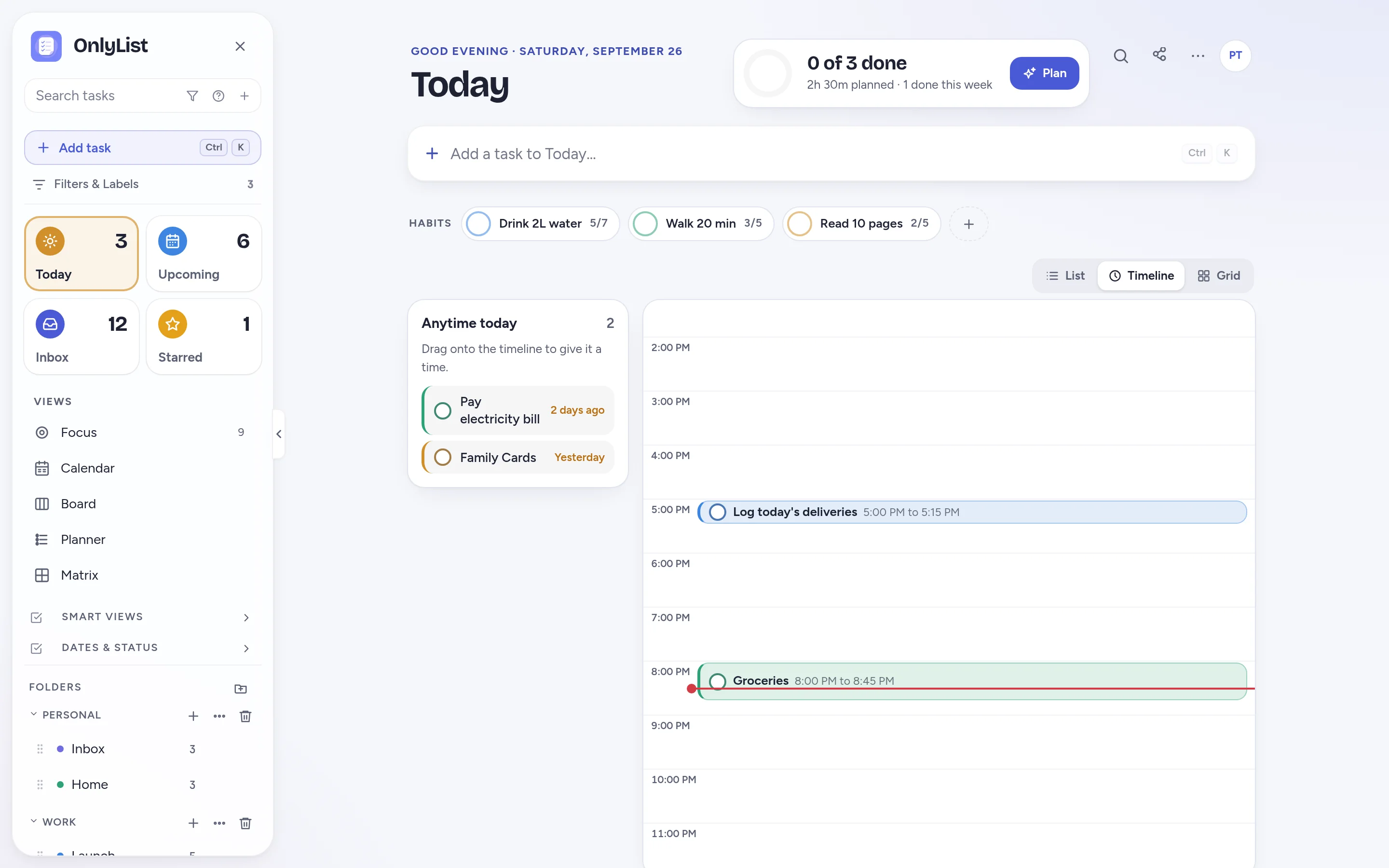
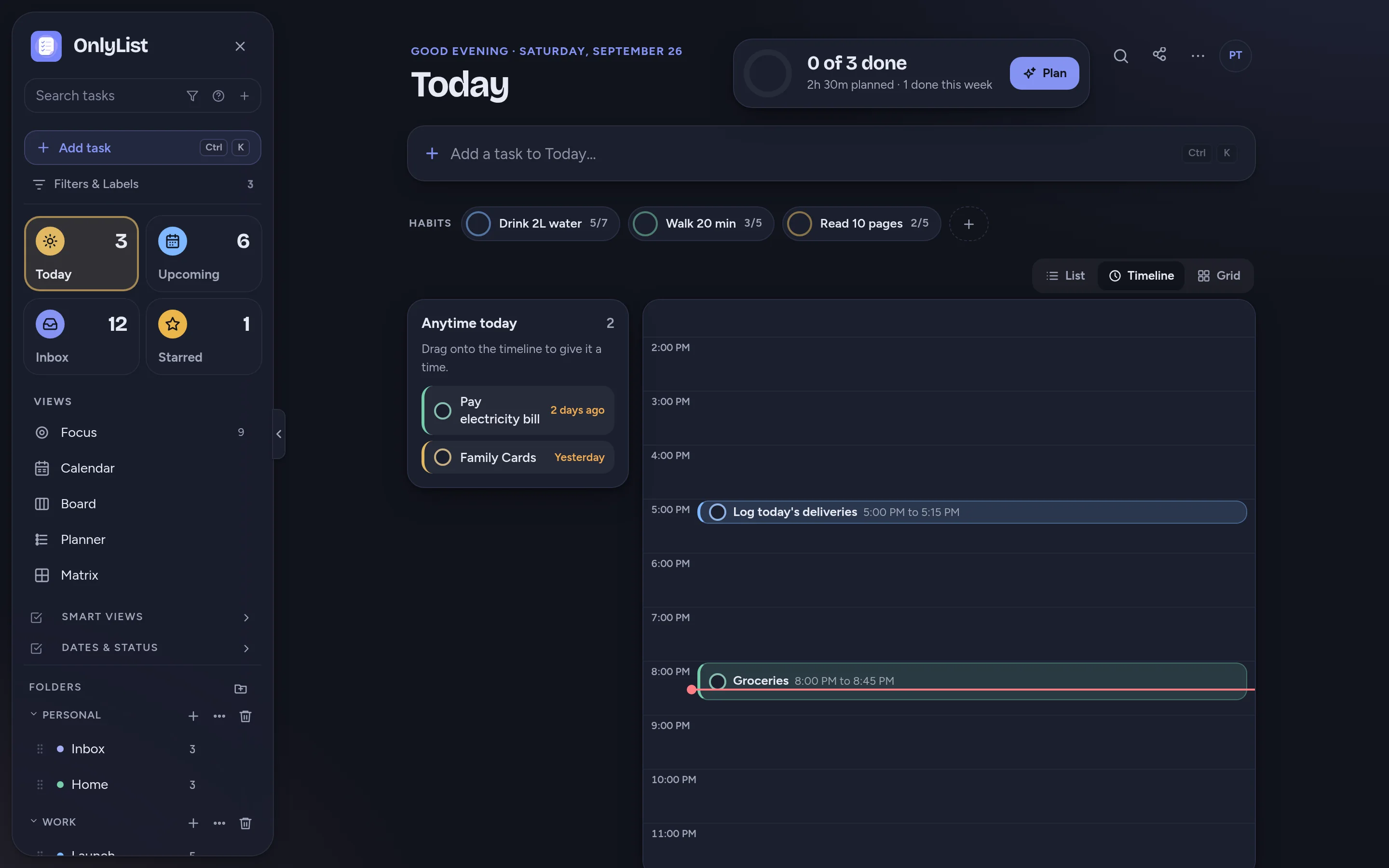
Your day, three ways.
Today is where most of life happens, so it bends to the kind of day you're having.
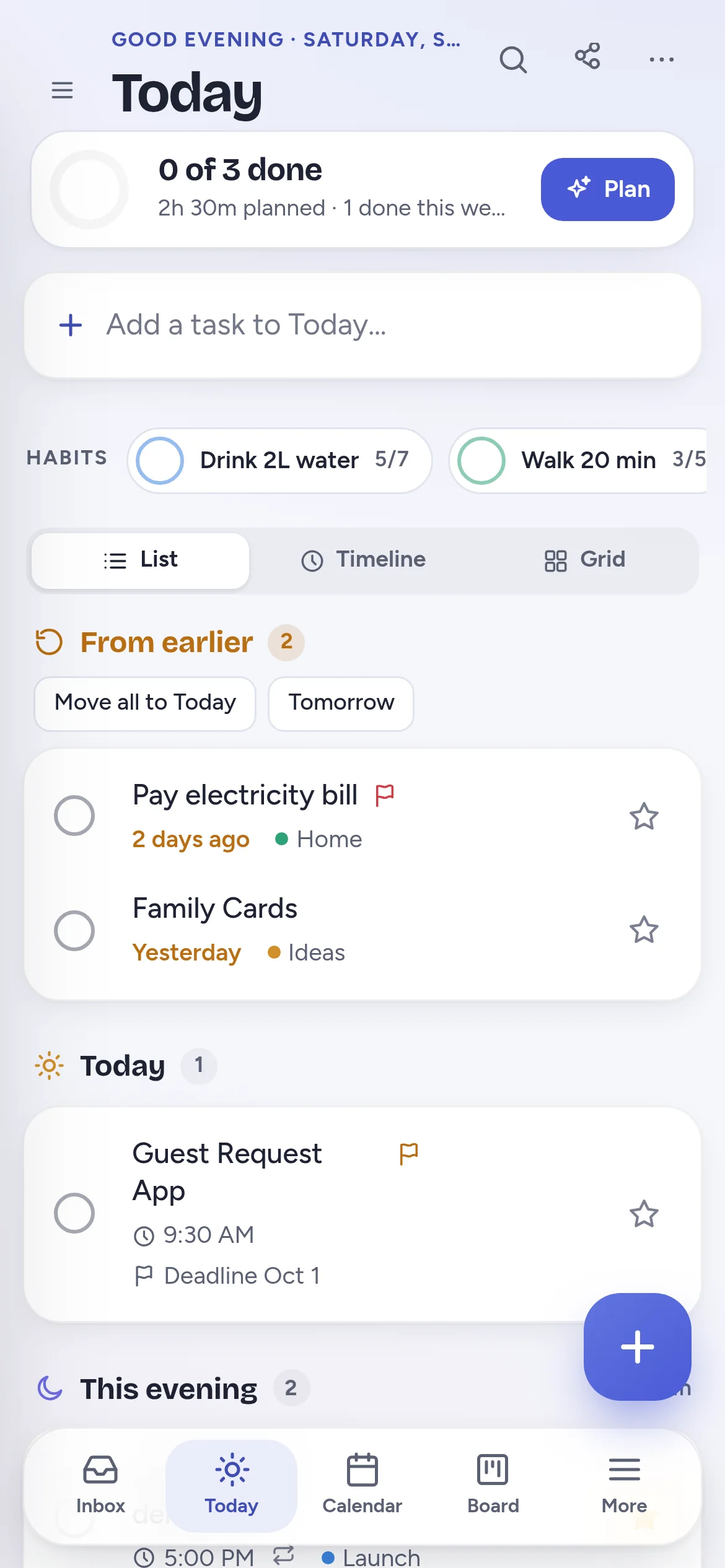
- List: From earlier, Today and This evening, in that order.
- Timeline: tasks with a time sit on an hour-by-hour line. Drag the rest in. (Premium)
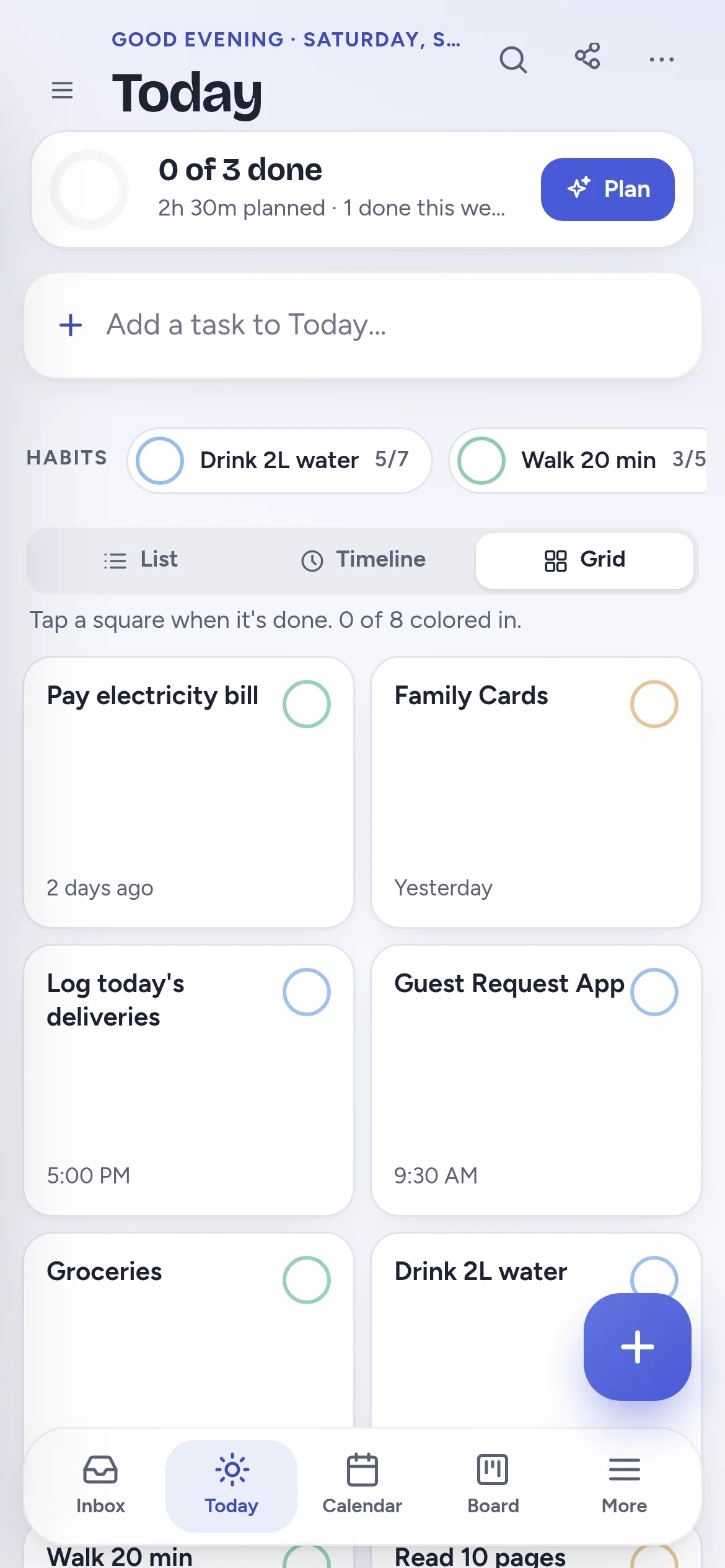
- Grid: one square per task and habit that fills with color when done.
- Missed tasks wait in From earlier. Move them all with one tap, or turn on rollover.
- A progress ring shows what's done and how much time is planned.
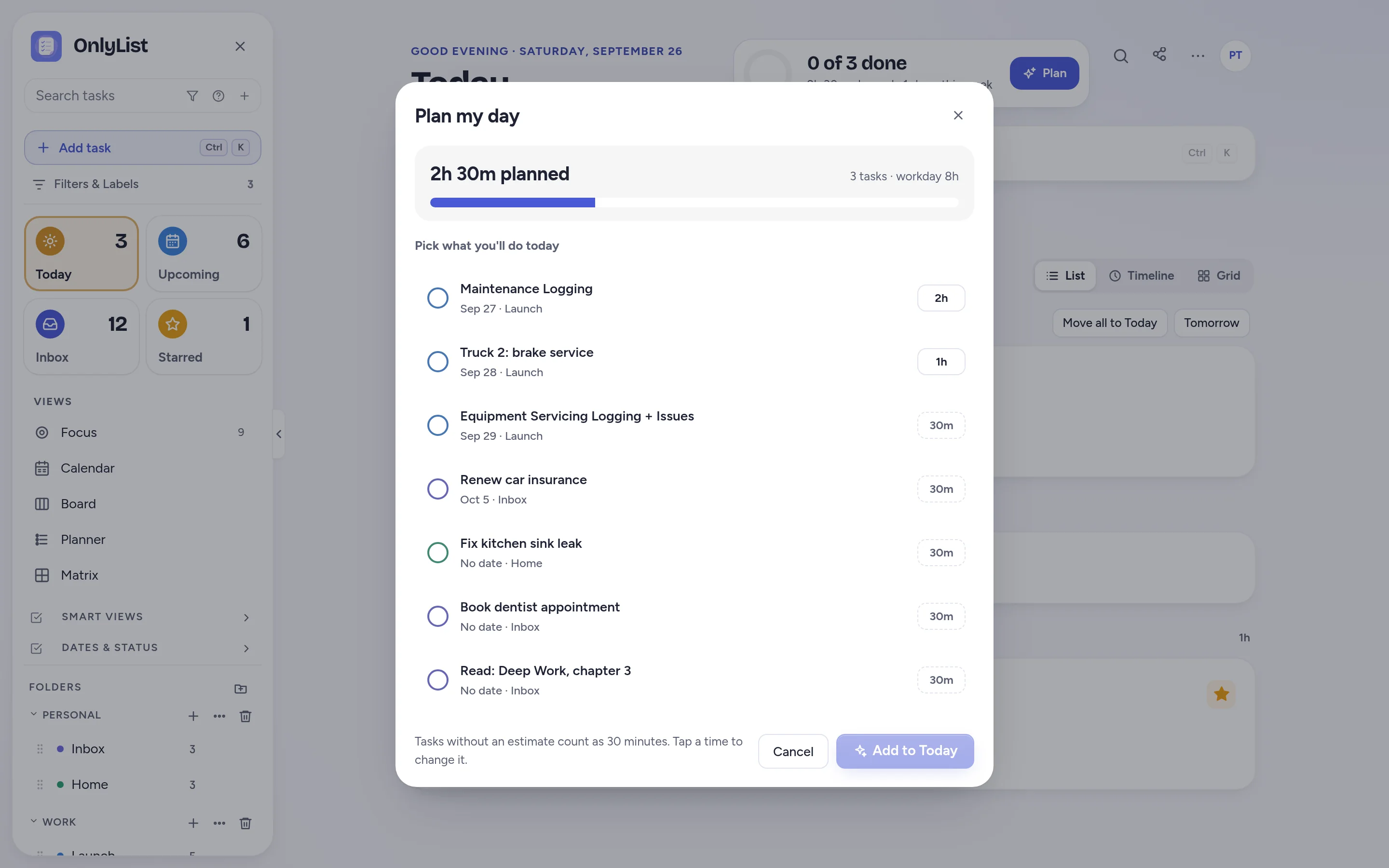
Plan my day
See if the day is overbooked before it is.
Plan my day shows the tasks you could do today with their time estimates. Pick what fits and watch the total add up.
- Tasks without an estimate count as 30 minutes.
- Chosen tasks land on Today, in the list, timeline and grid.
Capture
Capture the thing before it wanders off.
Type naturally
“Dentist friday 3pm !2” sets the day, time and priority as you type.
Quick add anywhere
Ctrl K opens quick add. Enter saves, Shift and Enter adds a line.
Subtasks and notes
Break big tasks down. Add notes, tags and a time estimate.
Lists and folders
Group lists into folders, each with its own color.
Chip task panel
Open a task and its details sit in tidy chips. Tap one to change it.
Priorities
Three levels, shown as small colored flags.
Attachments
Add files to a task. (Premium)
Search
Press / to find any task. Ctrl / jumps to any view or command.
Dates and repeats
Set it once. Let it come back politely.
Dates that match how plans really work, and repeats for the things that never stop.
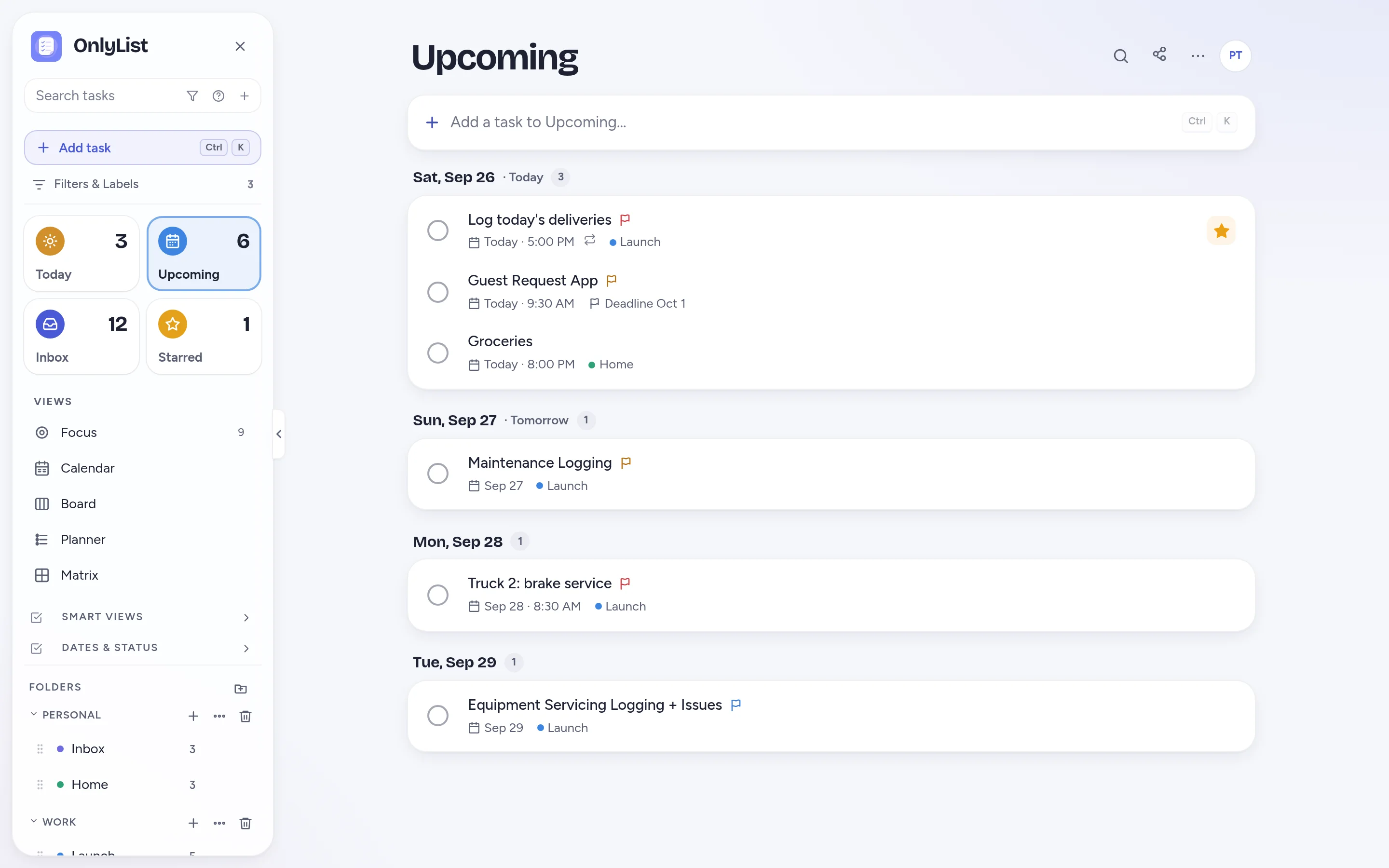
- Do date and deadline: when you plan to work on it, and when it truly must be done.
- Snooze to later today, this evening, tomorrow or next week.
- Repeat daily, weekly, every 2 weeks, monthly or yearly, from the due date or from when you finish.
- Stop at an end date, or skip one occurrence without losing the series.
- Upcoming and the Logbook group tasks by day.
Reminders
Reminders that ring, even when the app is closed.
Allow notifications once and reminders reach your phone or computer on time. Finish or snooze right from the notification.
- Ring at the time, 15 minutes or an hour before, the morning of, or the day before.
- Keep reminding until done for must-not-miss tasks.
- On iPhone, add OnlyList to your home screen first. That's how iPhone delivers web app notifications.
- Reminders, snooze and repeats are all free.
Habits and focus
Gentle habits. One task at a time.
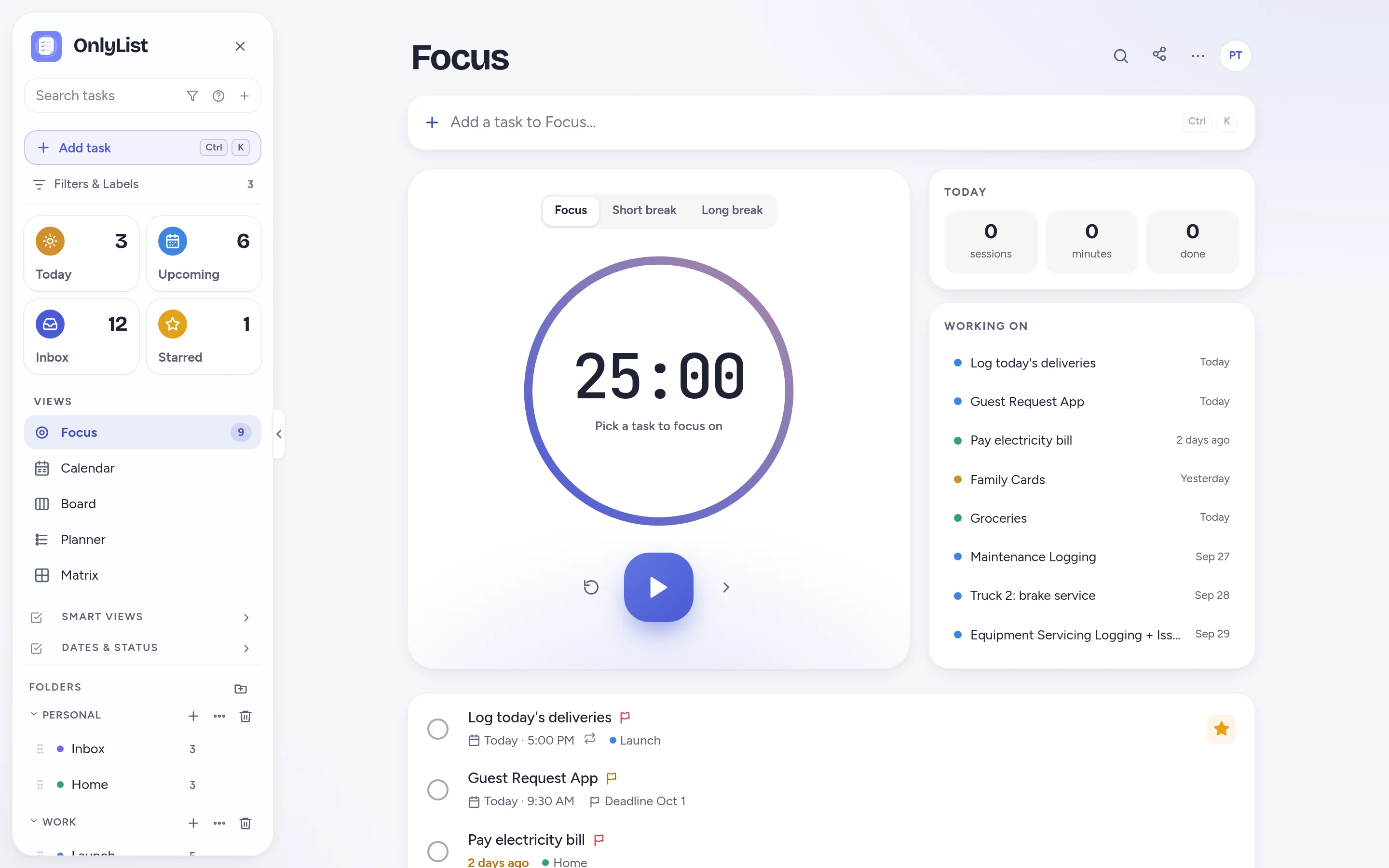
Habits sit on Today with weekly goals, like “walk 5 times”, instead of streaks that shame you for one bad day. When it's time to work, the Focus timer keeps you on one thing.
- Tick a habit from Today or the grid.
- 25 minute focus sessions with short and long breaks.
- Sessions and minutes for today add up beside the timer.
- Habits and the Focus timer are free.
Views
Same tasks, different lenses.
Switch views any time. They all show the same tasks, so nothing needs copying or syncing by hand.
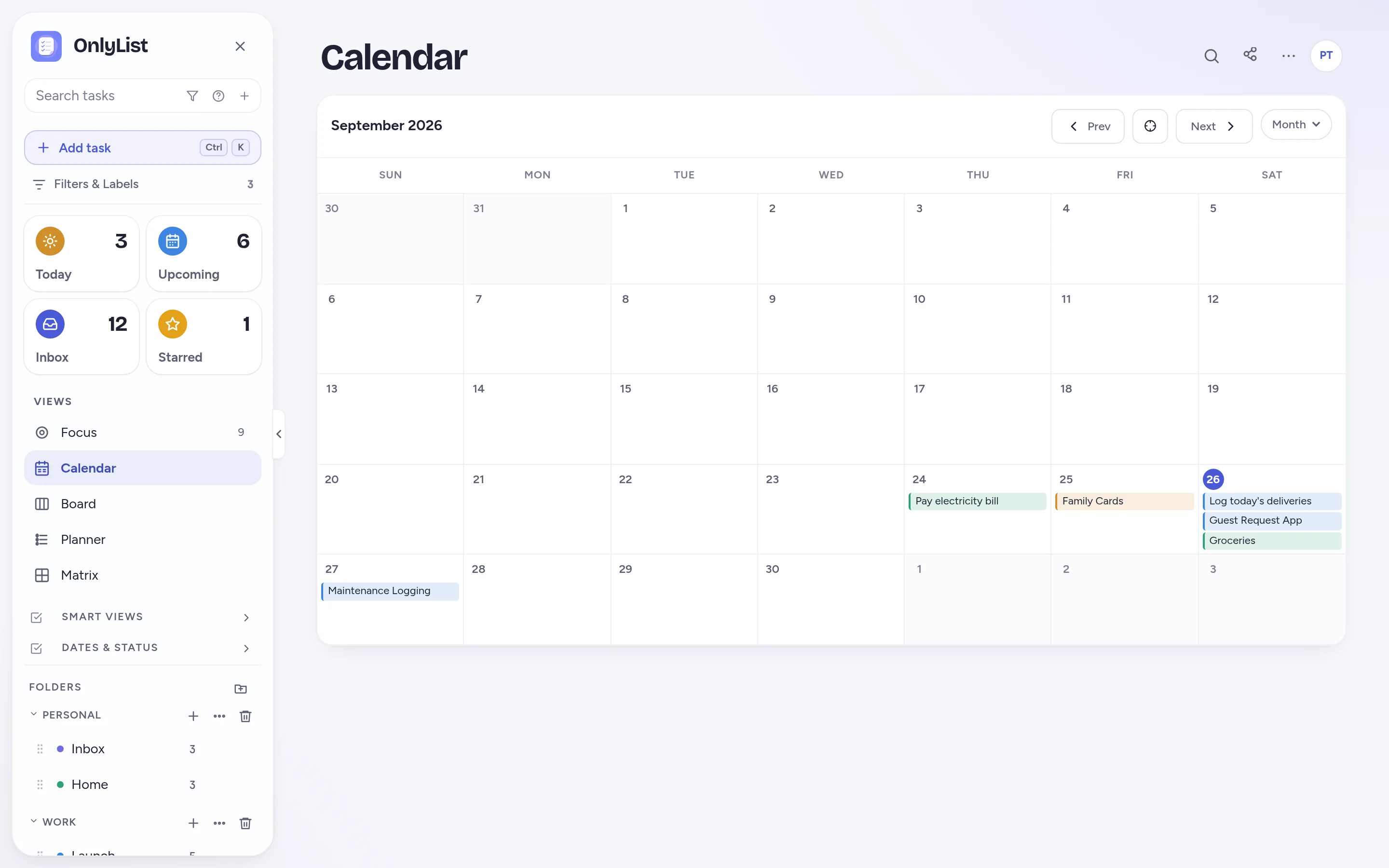
Calendar
Tasks on their dates in a day, week or month. Drag to another day to reschedule.
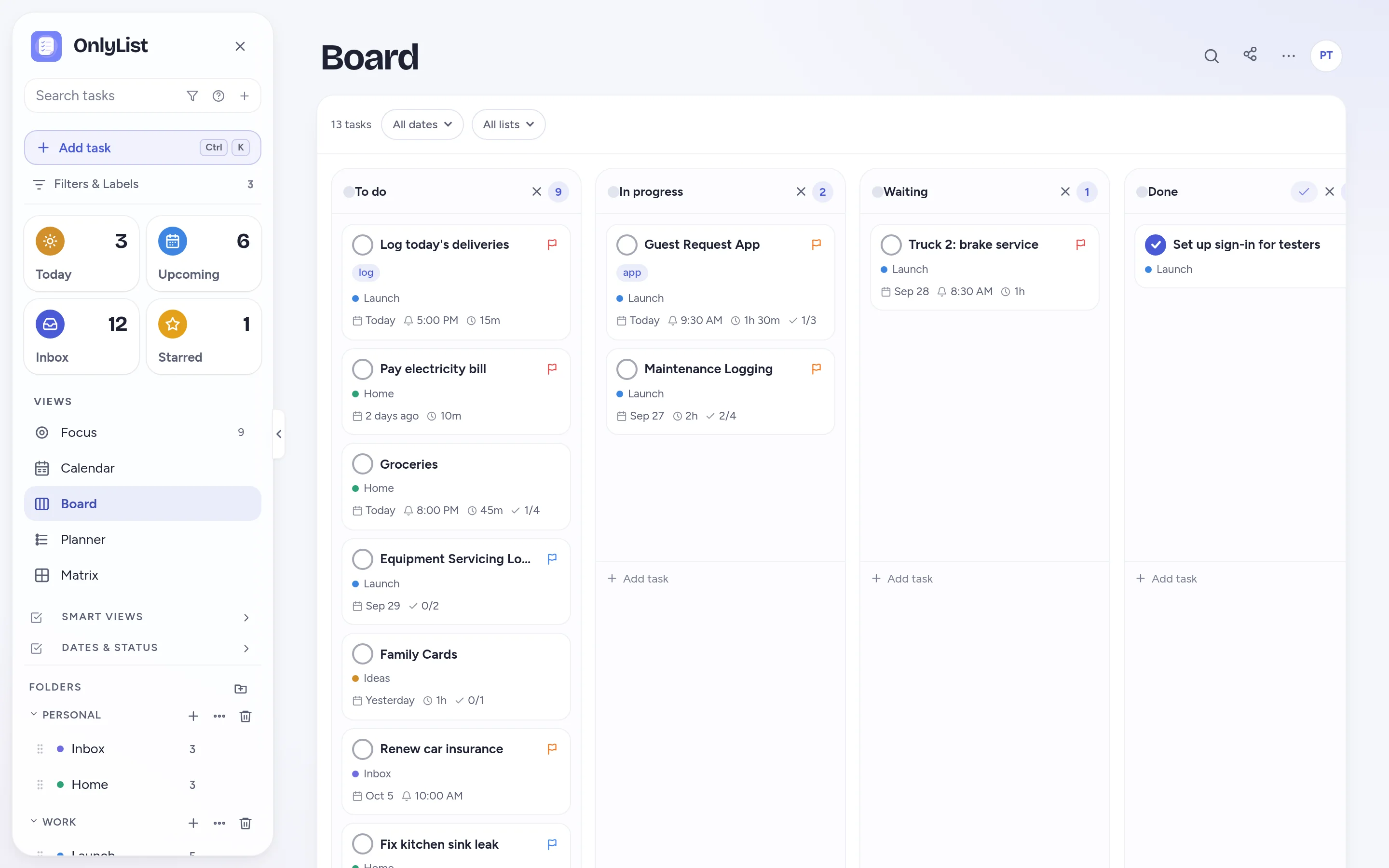
Board
Columns like To do, In progress, Waiting and Done. Rename and add your own.
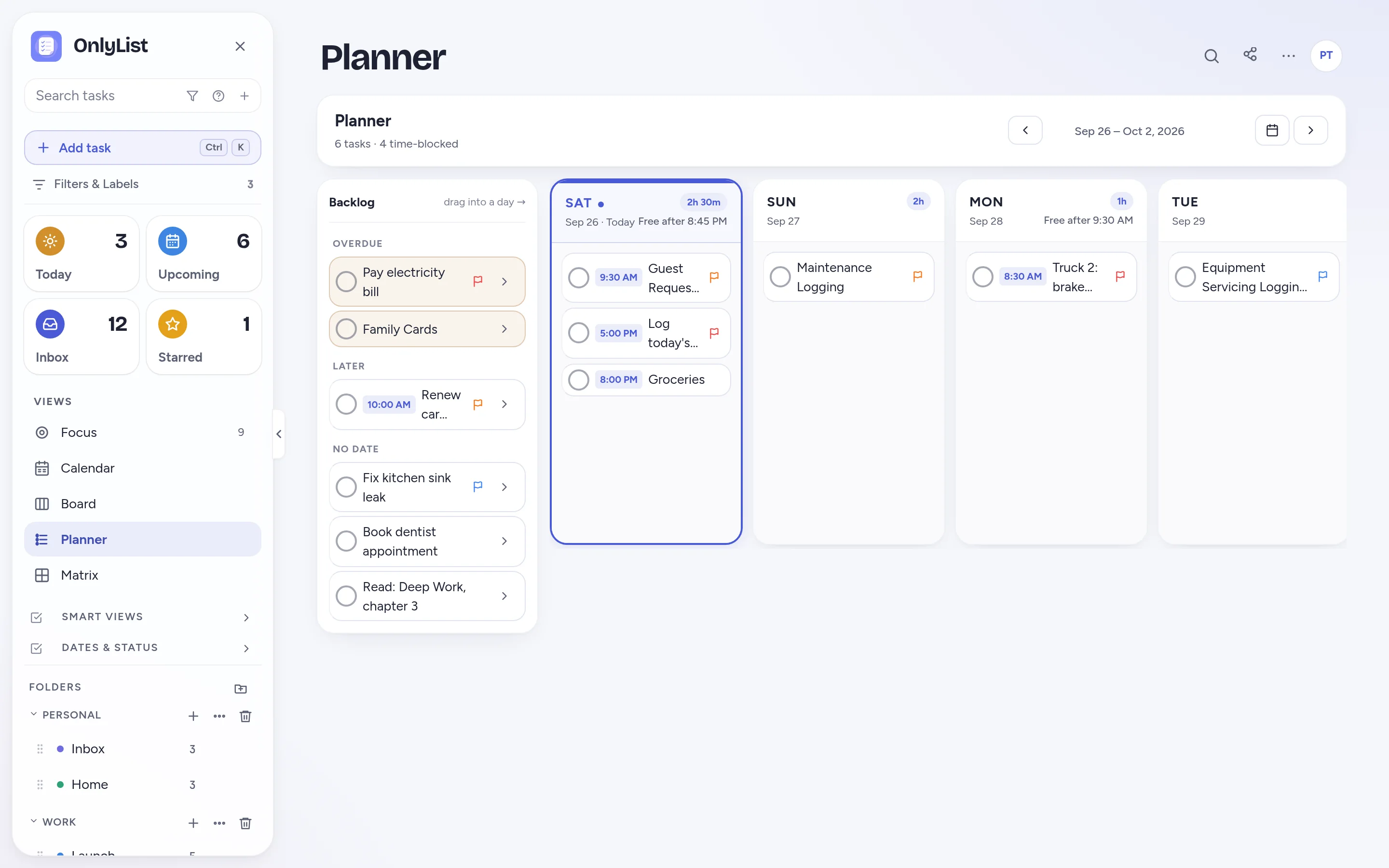
Planner
A backlog beside each day of the week, with hours planned per day.
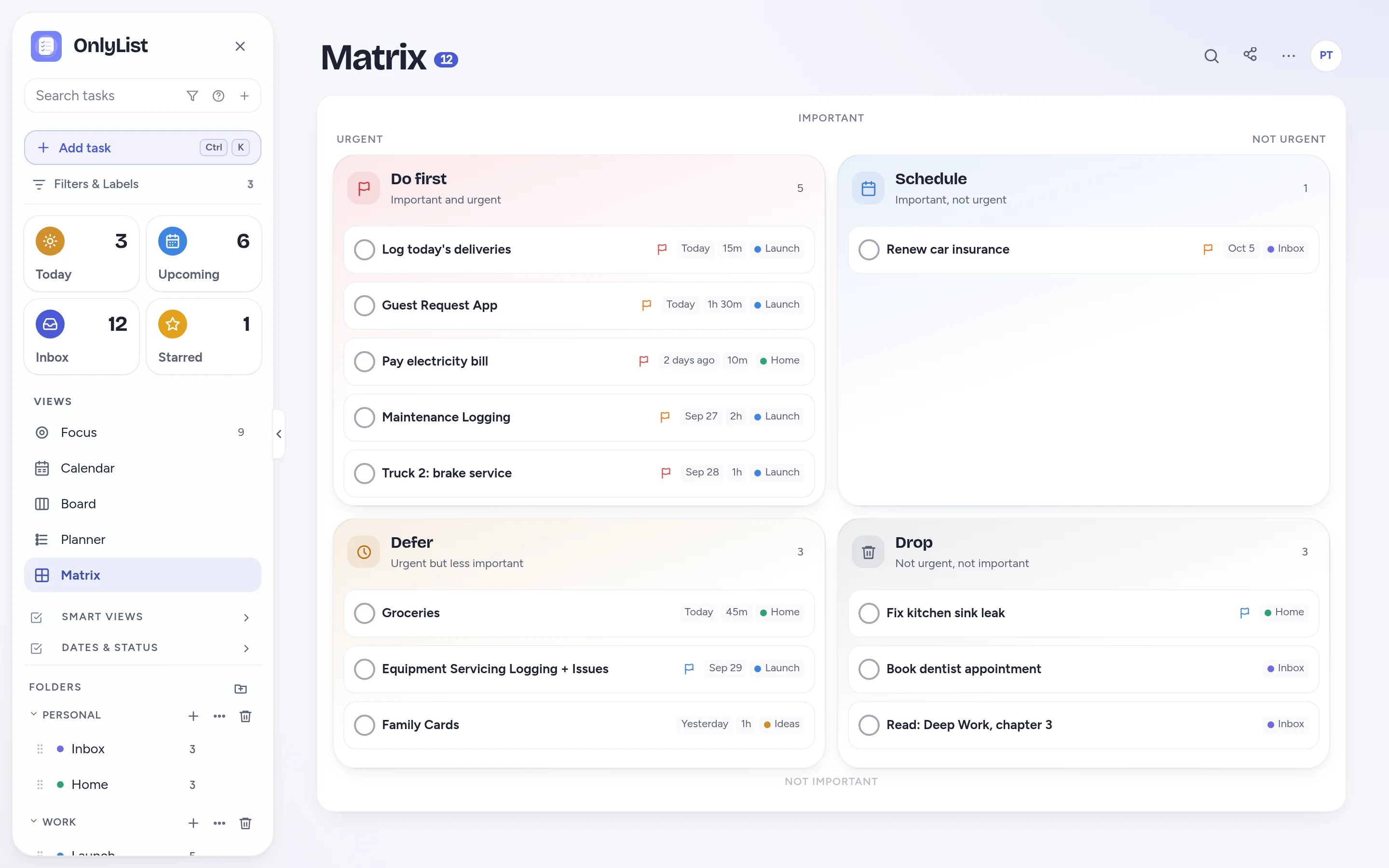
Matrix
Do first, Schedule, Defer and Drop, sorted from priority, stars and dates.
Timeline, Calendar, Board, Planner and Matrix are part of Premium. Today, Upcoming, Focus and your lists are free.
Sharing
Share the list, not the chaos.
Invite by email
Share one list at a time. People you invite can join with a free account.
Real-time updates
Everyone can add, edit and tick things off, and changes show up for everyone within seconds.
Private by default
Lists you haven't shared stay yours. Sharing is part of Premium.
Make it yours
Nine color schemes. Light, dark, or both.
Every scheme is tuned for readable contrast in light and dark. Follow your device, or pick one. Text size is adjustable too, and all of it is free.
Your data
Nothing disappears. Nothing is sold.
Trash and restore
Deleted tasks wait in the trash until you empty it.
Undo
Changed your mind? Undo is one tap away.
Export
Export everything to JSON or CSV, and dated tasks as a calendar file.
No ads, no tracking
We earn from subscriptions. Your tasks are encrypted in transit.
Stays on your device
On the free plan, your tasks live on your device.
Sync and backup
Premium syncs every device and backs up automatically each day.
Works everywhere
Any modern browser on phone, tablet and computer. Install it to your home screen.
Android app in testing
An Android app for Google Play is in testing. Until then, install from Chrome.
Shortcuts
A few keys worth knowing.
| Press | To |
|---|---|
| / | Search tasks |
| Ctrl / | Open the jump-to menu for any view or command |
| Ctrl K | Open quick add from anywhere |
| Enter | Save the task you're typing |
| Shift Enter | Start a new line |
Free and Premium
Gentle pricing. No weird tricks.
| Feature | Free | Premium |
|---|---|---|
| Unlimited lists, tasks and subtasks | Yes | Yes |
| Reminders, snooze and repeating tasks | Yes | Yes |
| Today list and grid, Plan my day, Upcoming | Yes | Yes |
| Habits, Focus timer and search | Yes | Yes |
| 9 color schemes, dark mode, text size | Yes | Yes |
| Trash, restore and export | Yes | Yes |
| Sync across devices and daily backup | No | Yes |
| Timeline, Calendar, Board, Planner, Matrix | No | Yes |
| Shared lists and file attachments | No | Yes |
| Price | $0 | $2.99 a month or $19.99 a year |
No ads on either plan. Cancel anytime and keep your tasks on the free plan.
FAQ
Questions people reasonably ask.
What does the free plan include?
Unlimited lists, tasks and subtasks, reminders, snooze, repeating tasks, the Today list and grid, habits, the Focus timer, search, all 9 color schemes, dark mode, trash, restore and export. On the free plan your data stays on your device.
What does Premium add?
Sync across your devices, the Timeline, Calendar, Board, Planner and Matrix views, shared lists, file attachments and automatic daily backup. $2.99 a month or $19.99 a year.
Will my reminders actually go off?
Yes, once you allow notifications. Reminders reach your phone or computer even when OnlyList is closed. On iPhone, add OnlyList to your home screen first.
Can I import from another app or calendar?
No. OnlyList doesn't import from other apps or calendars. You can export your tasks to JSON or CSV, and export dated tasks as a calendar file, at any time.
Does OnlyList work on my phone?
Yes. It runs in any modern browser on your phone, tablet or computer. Add it to your home screen for a full-screen app: in Chrome, choose Install app; on iPhone, open it in Safari, tap Share, then Add to Home Screen. An Android app for Google Play is in testing.
Is my data private?
Yes. No ads, no tracking pixels, no data selling. Your tasks are encrypted in transit, and you can export everything at any time.
Keep exploring
Other ways to use OnlyList.
Start with one task.
Open OnlyList in your browser, then install it to your home screen. The free plan needs no card and has no ads.
Android: open myonlylist.com/app in Chrome, tap ⋮, then Install app.
iPhone and iPad: open it in Safari, tap Share, then Add to Home Screen.
Computer: in Chrome or Edge, click the install icon in the address bar.