 OnlyList
To-do list with calendar
A to-do list and calendar that actually talk to each other.
Write tasks in a list. See the dated ones on a calendar. Move one in either place and the other follows, because they are the same tasks.
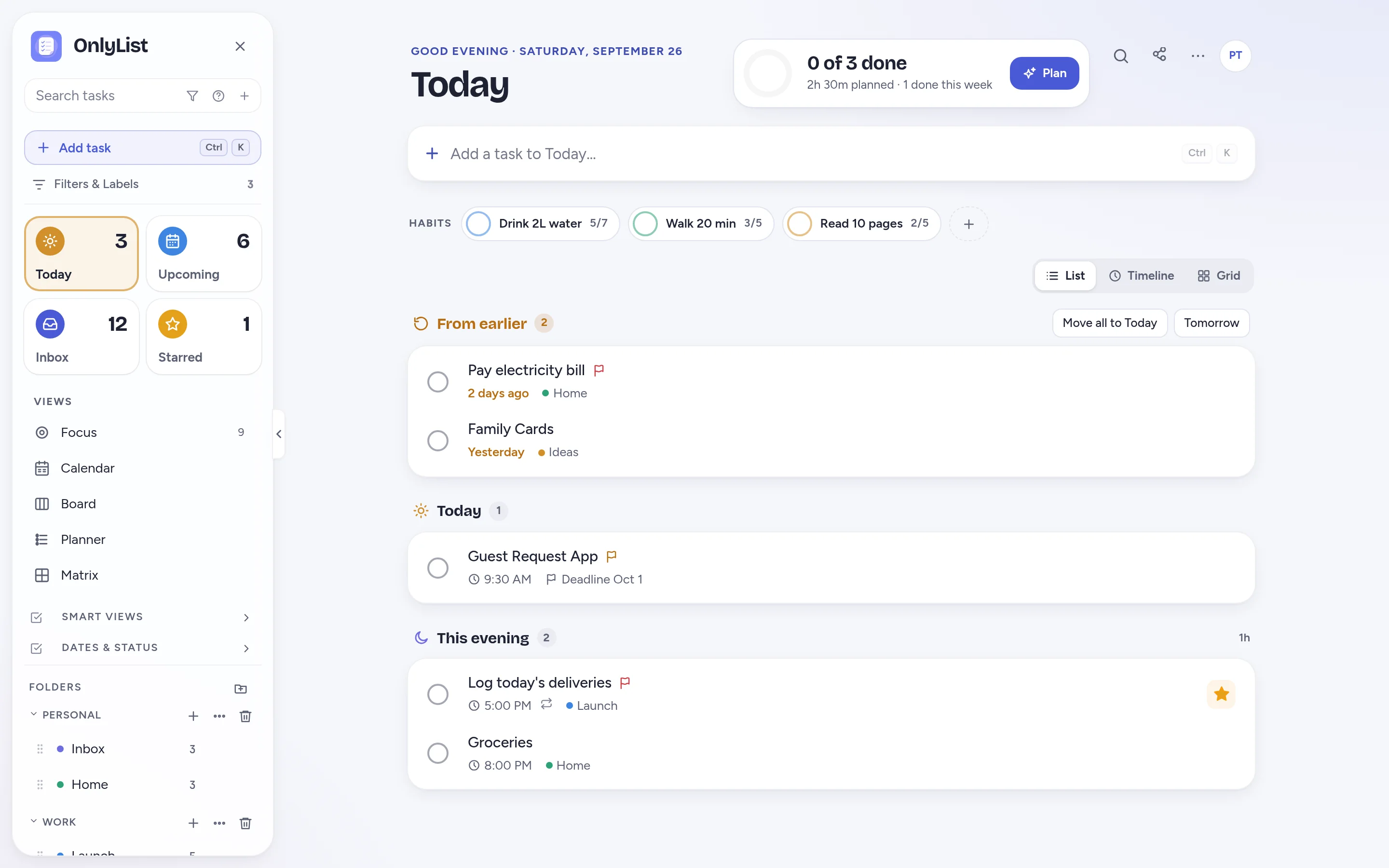
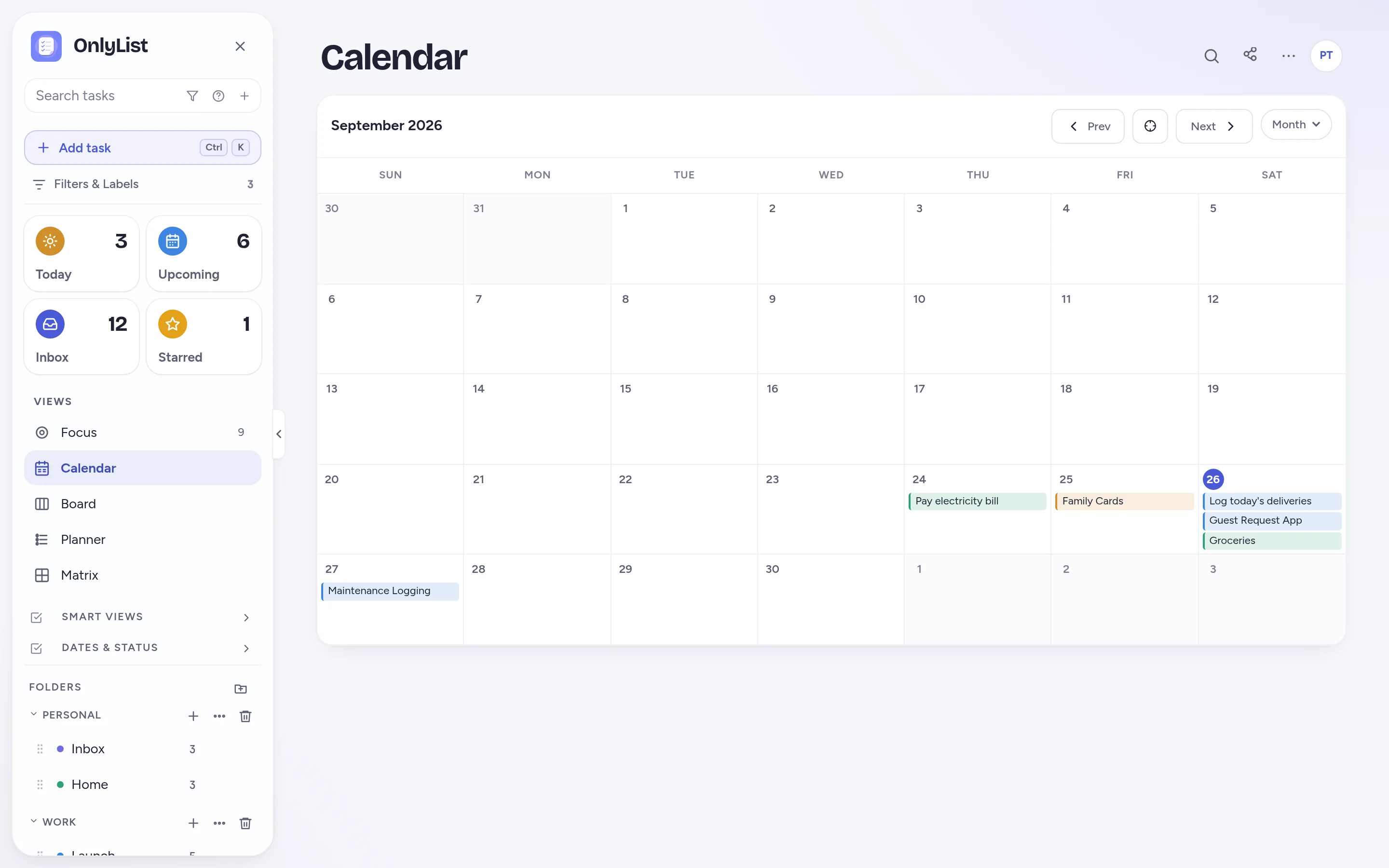
One set of tasks
Lists for capture. Calendar for the big picture.
Add tasks quickly in any list. Give them a date and they appear on the calendar. Drag them to another day and the list updates.
- Tasks keep their list color on the calendar.
- Tasks without a date stay in the list until you're ready.
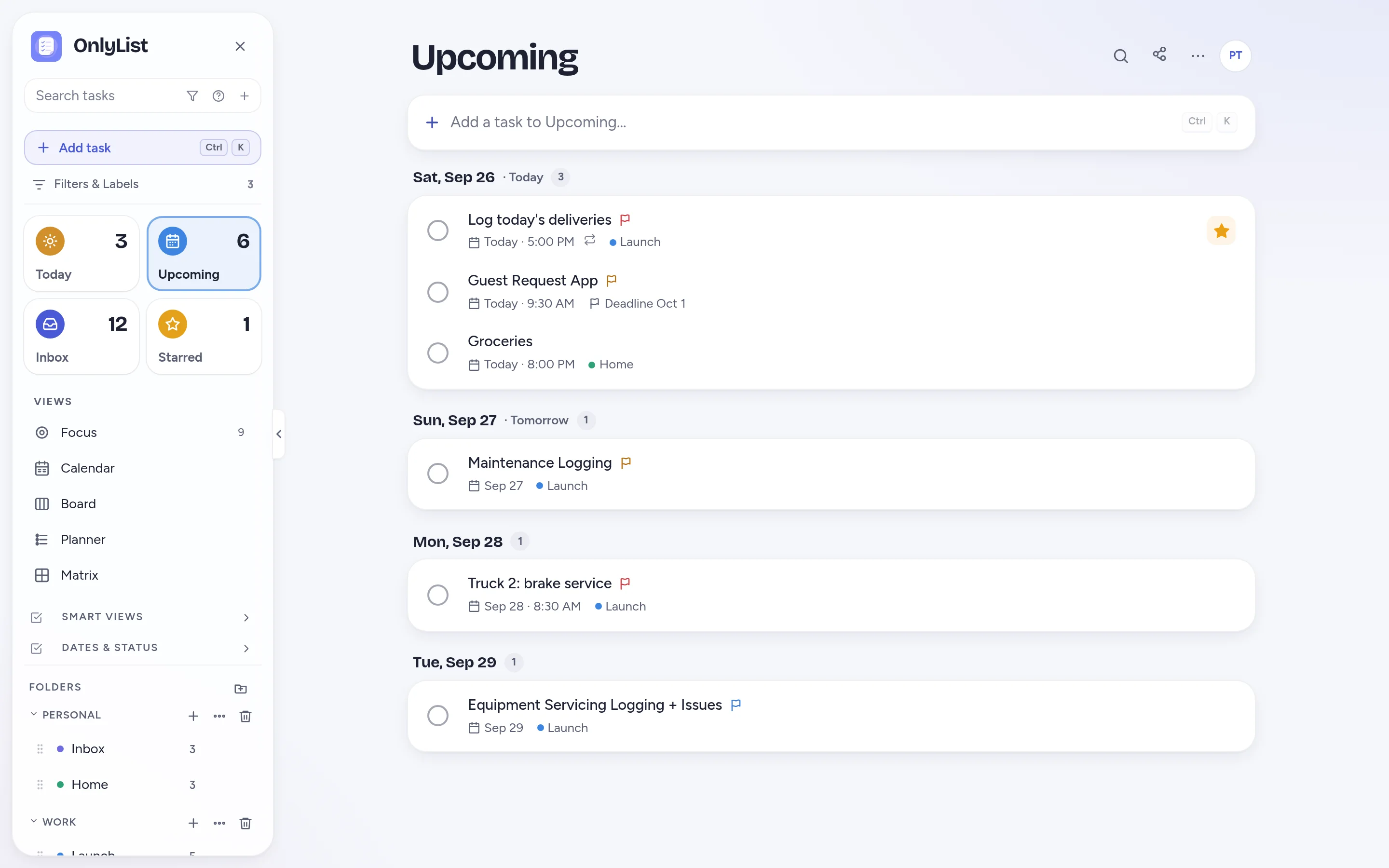
Upcoming
Not everything needs a grid of dates.
Upcoming shows the same dated tasks as a simple list grouped by day. It's free, quick to scan, and friendly on a phone.
- Snooze a task to tomorrow or next week in one tap.
- Missed tasks wait in From earlier on Today.
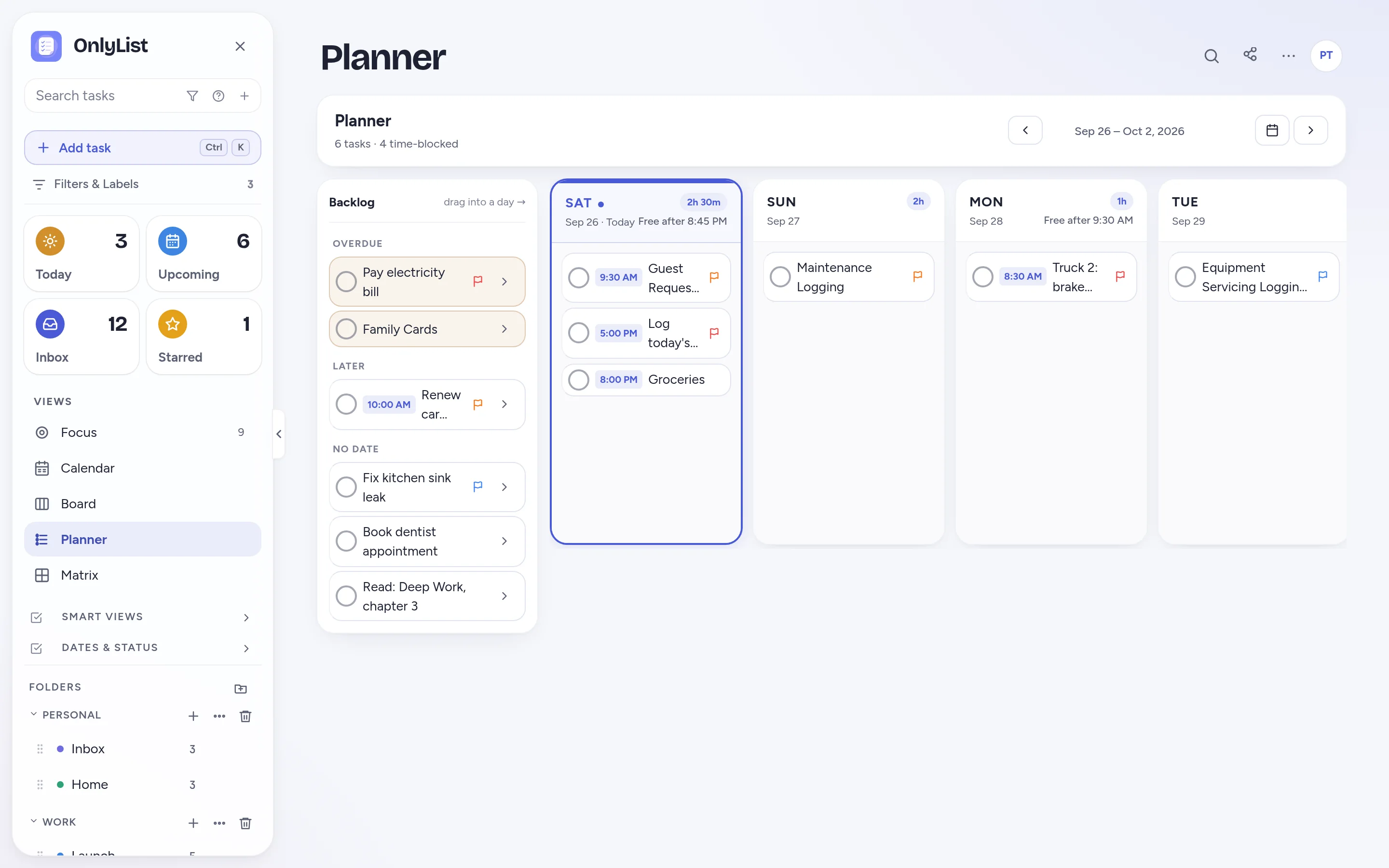
Weekly Planner
Drag the week into shape.
The Planner puts unscheduled tasks next to the days of the week. Drag them in, watch the hours add up, and move them when plans change.
- Hours planned per day, and when you're free after.
- Works across all your lists.
Useful for daily planning
Why lists and calendars should work together.
Capture without deciding
Write it down now. Pick a date later.
See the crowded days
Spot the Tuesday with nine tasks before Tuesday.
Get reminded
Reminders ring at the time, or 15 minutes, an hour, a morning or a day before.
Repeat with care
Every 2 weeks, yearly, from completion, until an end date. Skip one when needed.
Free: unlimited lists and tasks, reminders, snooze, repeats, the Today list and grid, habits, the Focus timer, search, all 9 color schemes and export. Premium ($2.99 a month or $19.99 a year) adds sync across devices, Timeline, Calendar, Board, Planner and Matrix, shared lists, attachments and daily backup. Compare plans
FAQ
Questions people reasonably ask.
Can I use OnlyList as both a to-do list and a calendar?
Yes. Every task lives in a list. Tasks with a date also appear on the Calendar (Premium) and in Upcoming (free). Change the date in either place and both update.
Does it sync with Google Calendar?
Not directly. OnlyList doesn't import calendars, but you can export dated tasks as a calendar file (.ics).
Can I plan the week with it?
Yes. The weekly Planner lets you drag tasks from a backlog into days and see how many hours each day holds. It's part of Premium.
Does OnlyList work on my phone?
Yes. It runs in any modern browser on your phone, tablet or computer. Add it to your home screen for a full-screen app: in Chrome, choose Install app; on iPhone, open it in Safari, tap Share, then Add to Home Screen. An Android app for Google Play is in testing.
Keep exploring
Other ways to use OnlyList.
Start with one task.
Open OnlyList in your browser, then install it to your home screen. The free plan needs no card and has no ads.
Android: open myonlylist.com/app in Chrome, tap ⋮, then Install app.
iPhone and iPad: open it in Safari, tap Share, then Add to Home Screen.
Computer: in Chrome or Edge, click the install icon in the address bar.