 OnlyList
Task manager app
Manage real work without adopting a giant project suite.
Priorities, do dates, deadlines, statuses and subtasks, in an app that still feels like a list. Switch to a board or a matrix when the work gets crowded.
Task details
Everything a task needs, nothing it doesn't.
Open a task and its details sit in tidy chips. Set what matters and ignore the rest.
- Priority from 1 to 3, shown as a small colored flag.
- Do date and deadline kept apart: when you plan to start, and when it truly must be done.
- Subtasks, notes, tags, a time estimate and file attachments (Premium).
- Status: not started, in progress, waiting or blocked.
Board
Move work through clear stages.
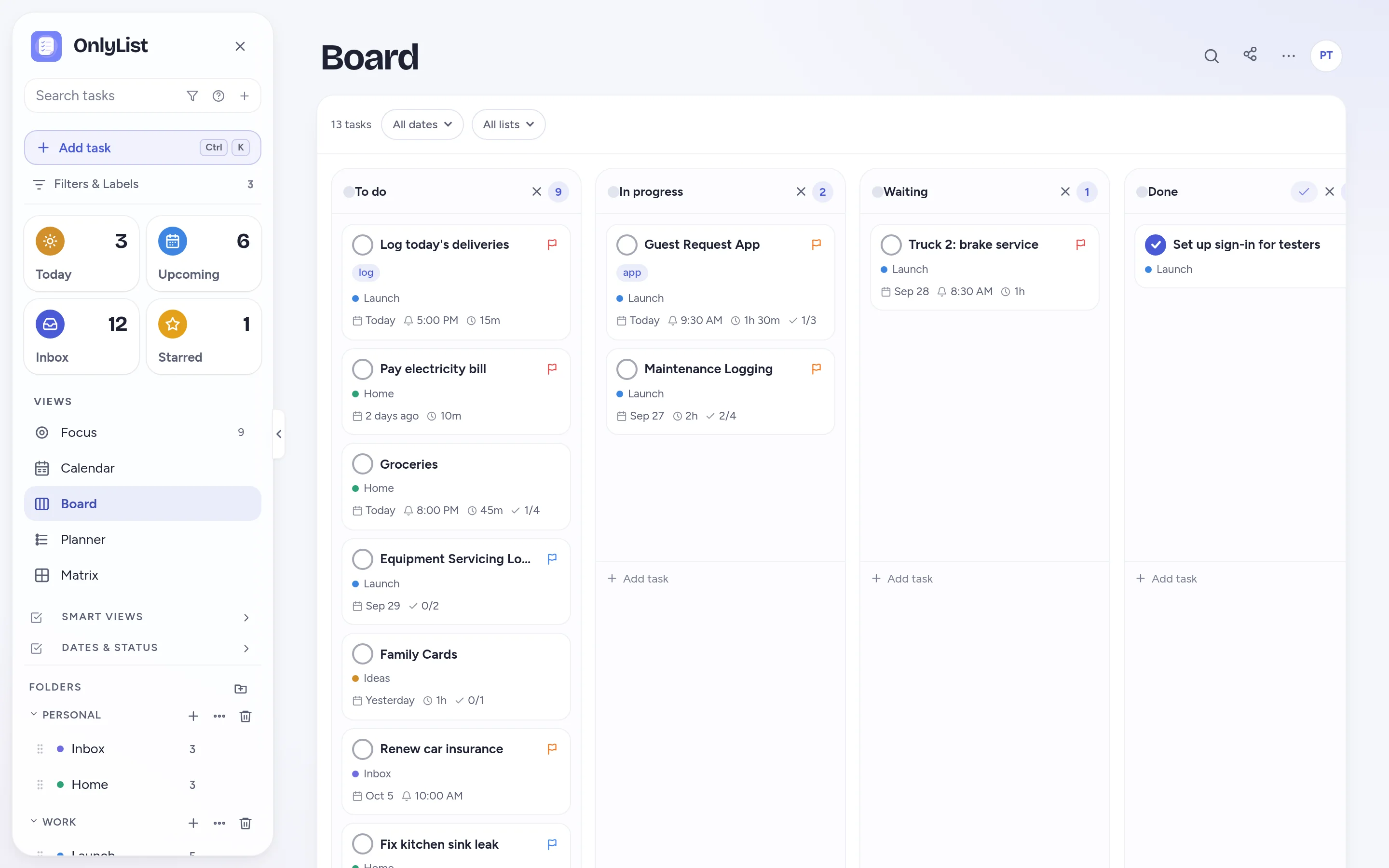
The Board shows the same tasks as columns. Drag a card from To do to In progress to Done. Rename columns, add your own, and let the last one mark tasks complete.
- Filter the board by list or by date.
- Cards show the list, the date, the estimate and subtask progress.
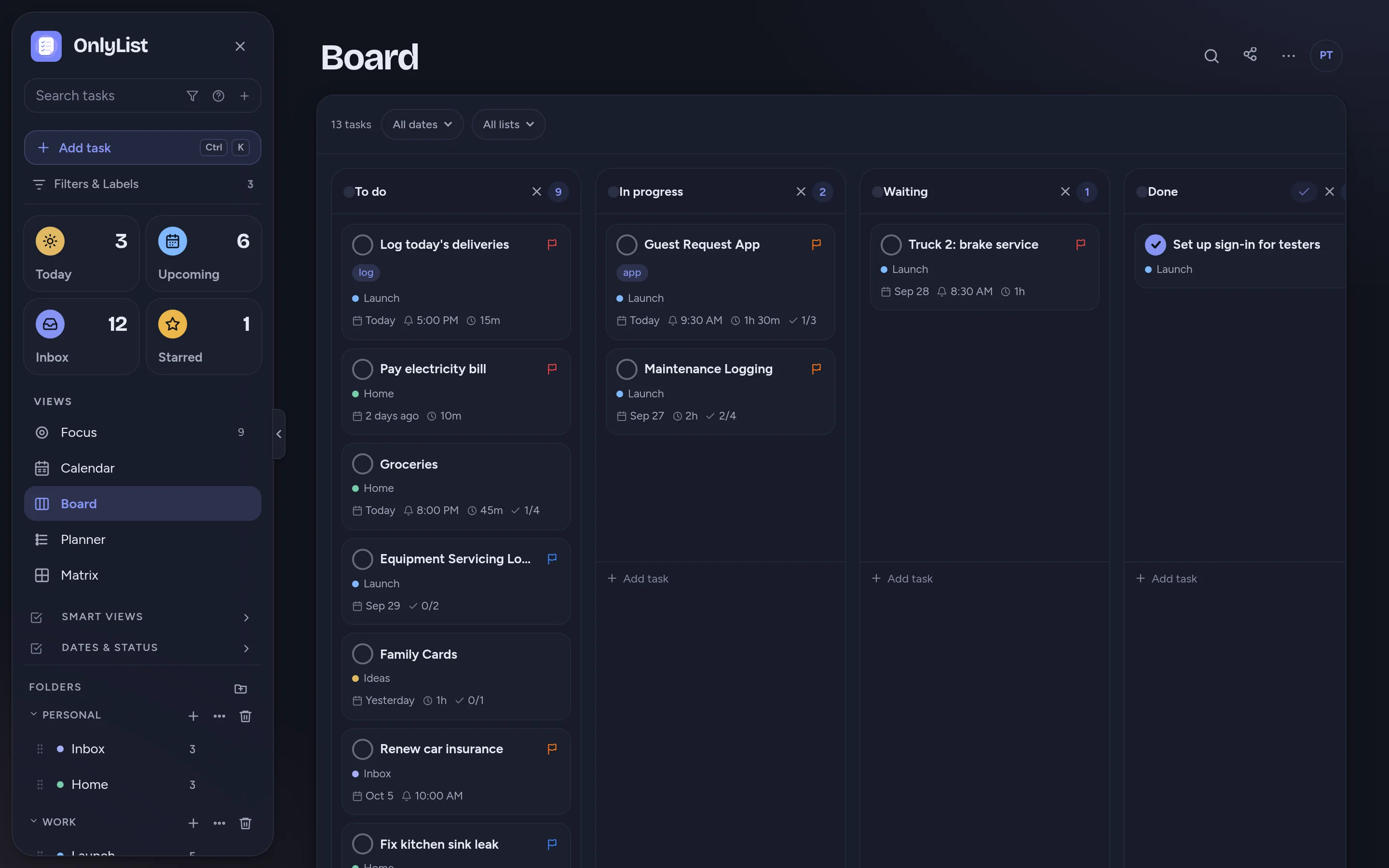
- Dark mode included, like everywhere else.
Matrix
Decide what deserves attention now.
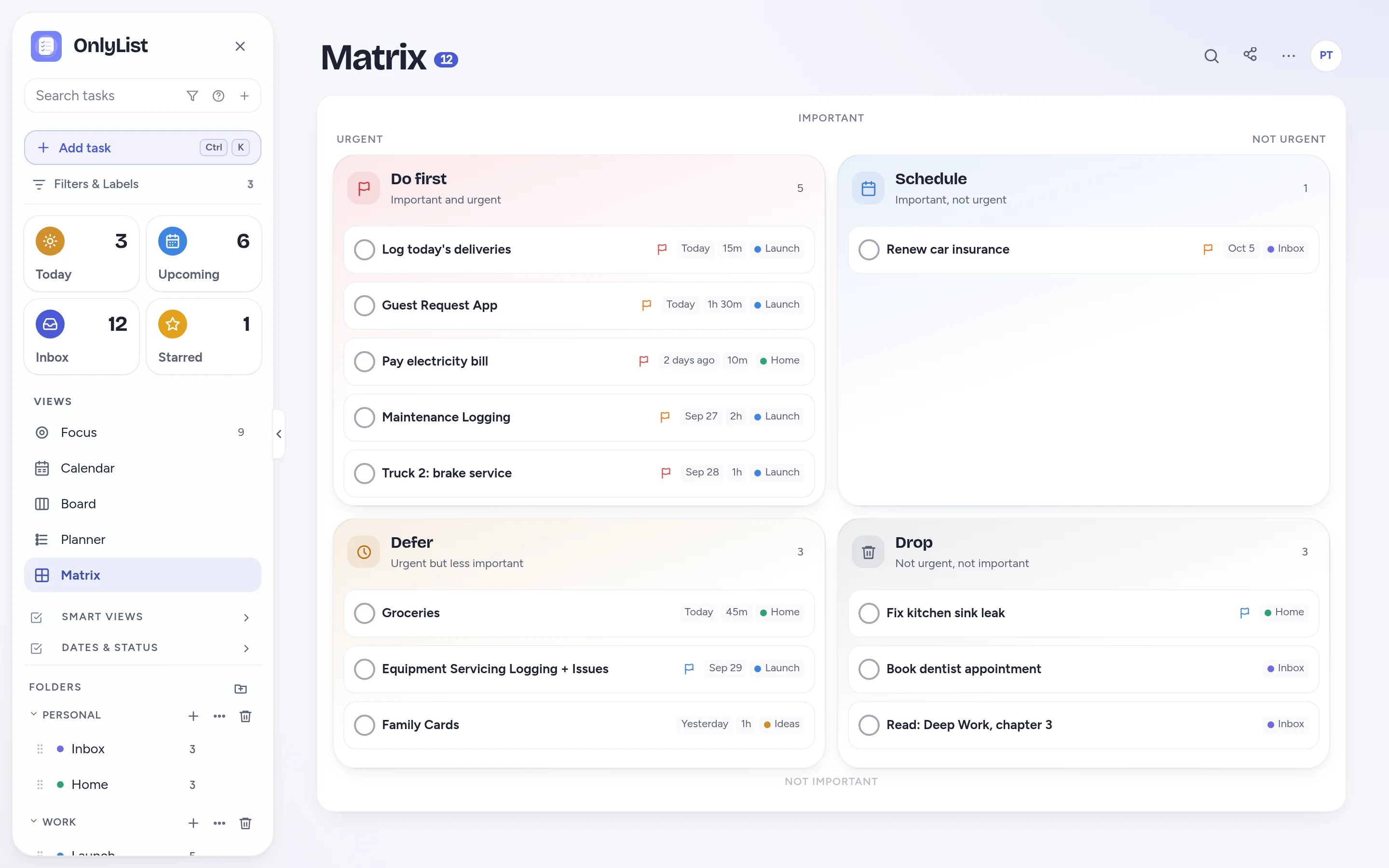
Matrix sorts open tasks into Do first, Schedule, Defer and Drop. Starred and high-priority tasks count as important. Tasks due by tomorrow count as urgent.
- Drag a task to another quadrant and its priority or date updates.
- Great for Monday mornings and for weeks that start on fire.
Focus
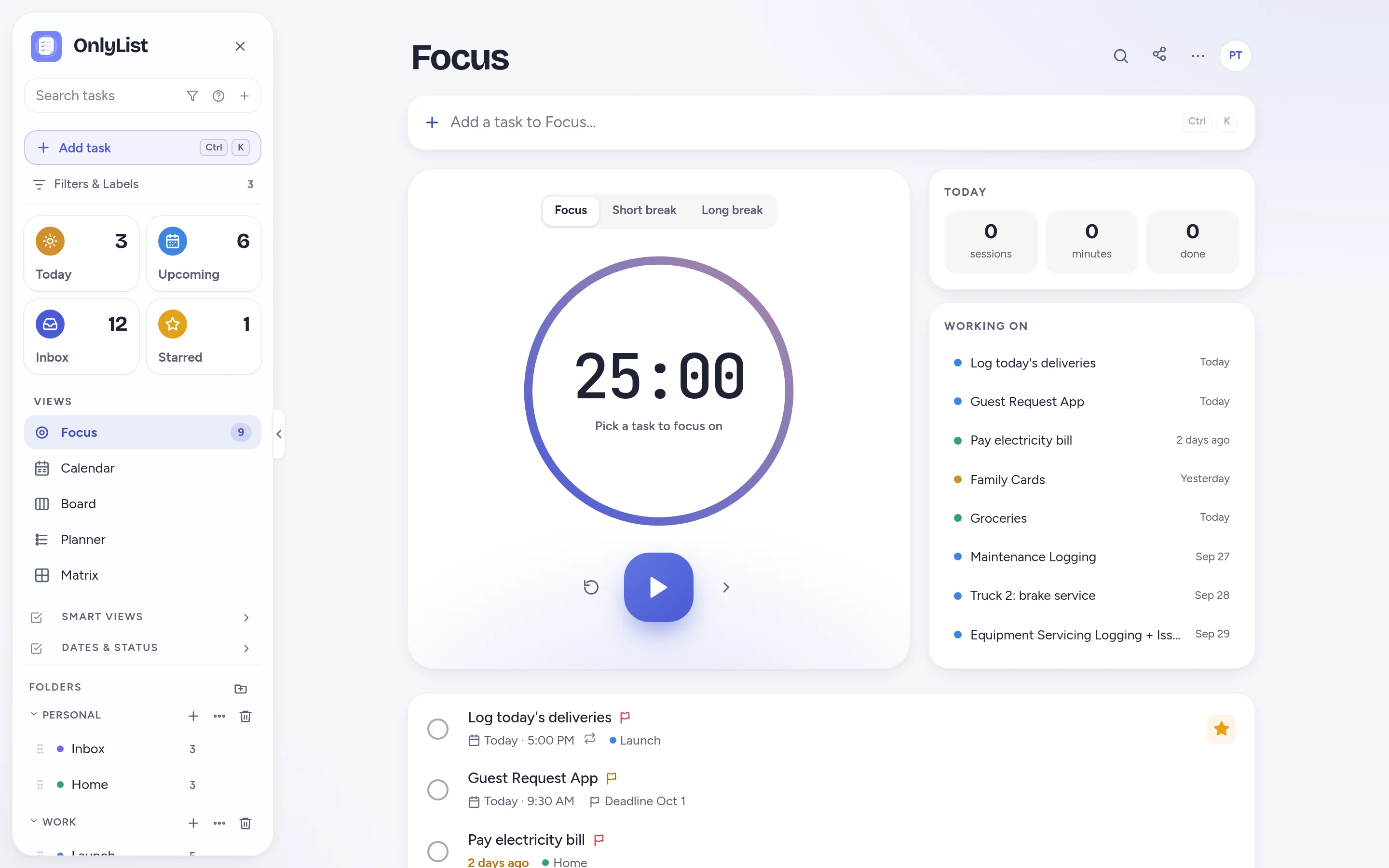
One task. One timer. Everything else waits.
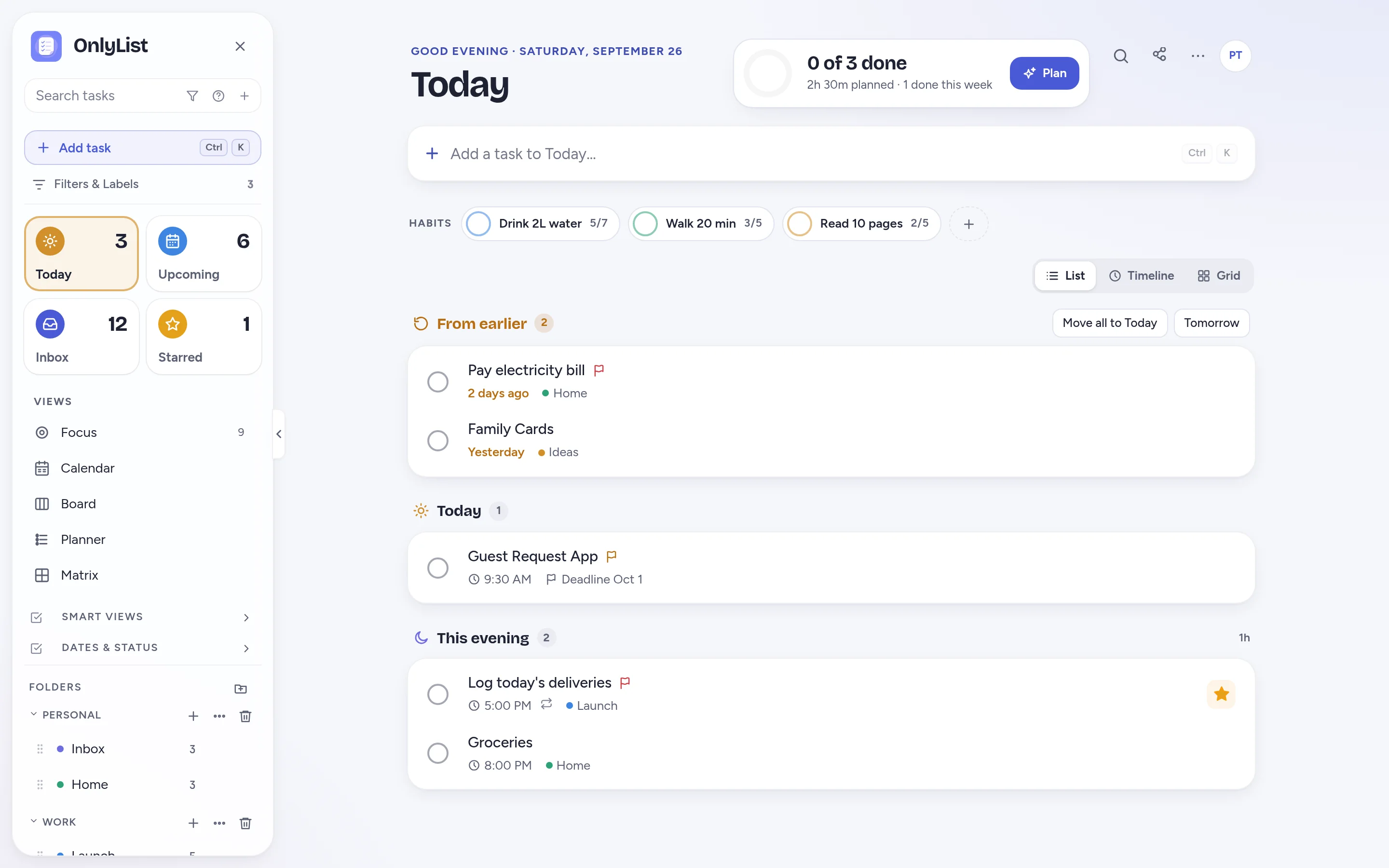
Pick a task, start a 25 minute focus session, and take the short and long breaks the timer suggests. Today's sessions and minutes add up on the side.
- The Focus timer is part of the free plan.
- Your list of tasks for today stays right beside the timer.
Built to stay readable
Power when you want it. Quiet when you don't.
Find anything fast
Press / to search tasks. Ctrl / opens the jump-to menu for any view or command.
Keyboard friendly
Ctrl K opens quick add from anywhere. Enter saves.
Folders and lists
Group lists into folders like Work and Personal, each with its own color.
Your data, portable
Export to JSON or CSV, and export dated tasks as a calendar file.
Free: unlimited lists and tasks, reminders, snooze, repeats, the Today list and grid, habits, the Focus timer, search, all 9 color schemes and export. Premium ($2.99 a month or $19.99 a year) adds sync across devices, Timeline, Calendar, Board, Planner and Matrix, shared lists, attachments and daily backup. Compare plans
FAQ
Questions people reasonably ask.
Is OnlyList a task manager or a to-do list?
Both. It starts as a simple list, and each task can grow priorities, a do date, a deadline, a status, subtasks, notes and tags when it needs them.
Can I track task status?
Yes. Tasks can be not started, in progress, waiting or blocked. With Premium, the Board view shows them as columns you can drag between, rename and extend.
Can I attach files to tasks?
Yes, with Premium. Attachments are stored with your account and sync across your devices.
Does it work for teams?
It suits households, partners and small teams. With Premium you can share any list by email and everyone edits the same tasks in real time. It is not a heavy project management suite, on purpose.
Does OnlyList work on my phone?
Yes. It runs in any modern browser on your phone, tablet or computer. Add it to your home screen for a full-screen app: in Chrome, choose Install app; on iPhone, open it in Safari, tap Share, then Add to Home Screen. An Android app for Google Play is in testing.
Keep exploring
Other ways to use OnlyList.
Start with one task.
Open OnlyList in your browser, then install it to your home screen. The free plan needs no card and has no ads.
Android: open myonlylist.com/app in Chrome, tap ⋮, then Install app.
iPhone and iPad: open it in Safari, tap Share, then Add to Home Screen.
Computer: in Chrome or Edge, click the install icon in the address bar.