 OnlyList
Daily planner app
Plan today without turning breakfast into a strategy meeting.
See your whole day at a glance, pull in what fits, and come back tomorrow to a calm list instead of a wall of red.
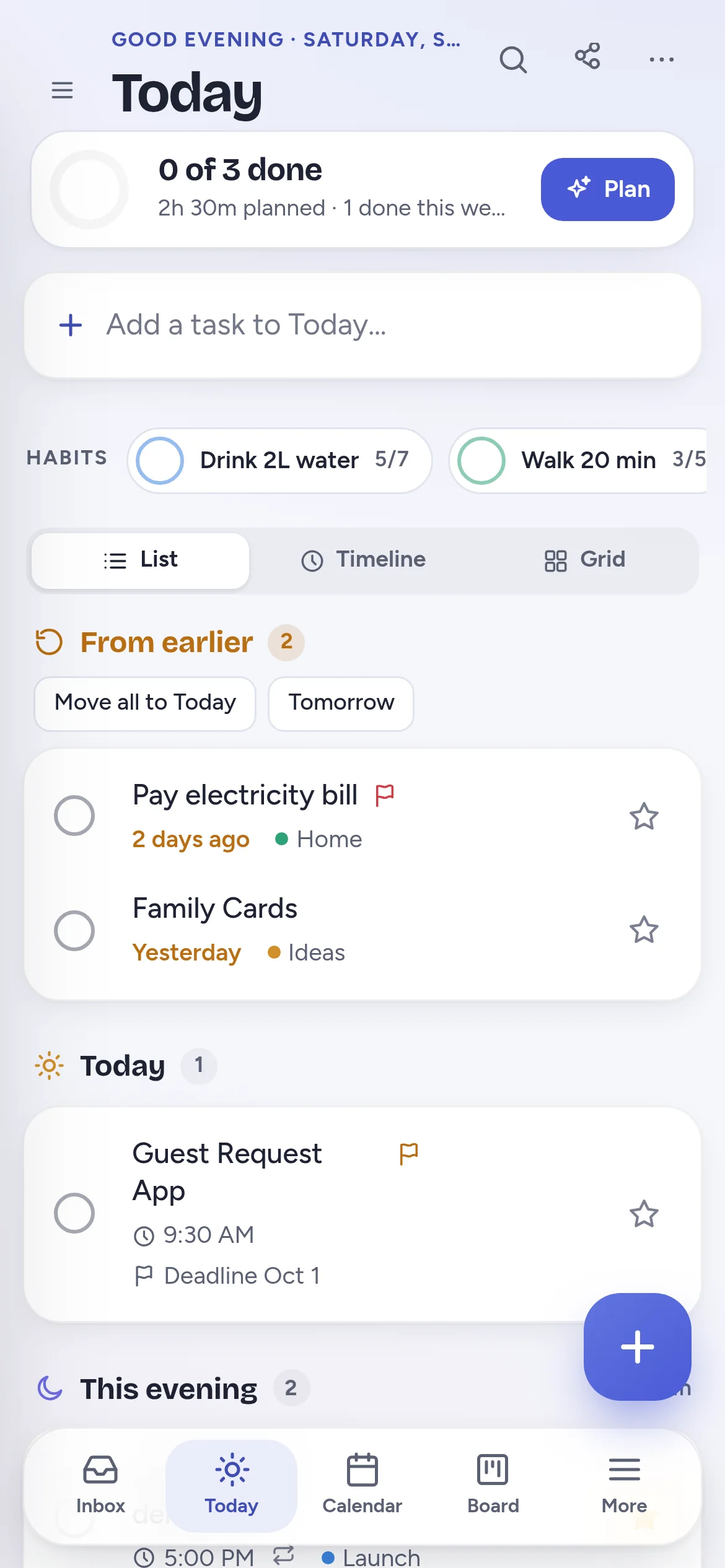
Plan my day
Pick what fits before the day fills up.
Plan my day lists the tasks you could do today, each with its time estimate. Tick the ones that fit and see the planned total grow, so you know when the day is full before it is.
- Tasks without an estimate count as 30 minutes. Tap to change it.
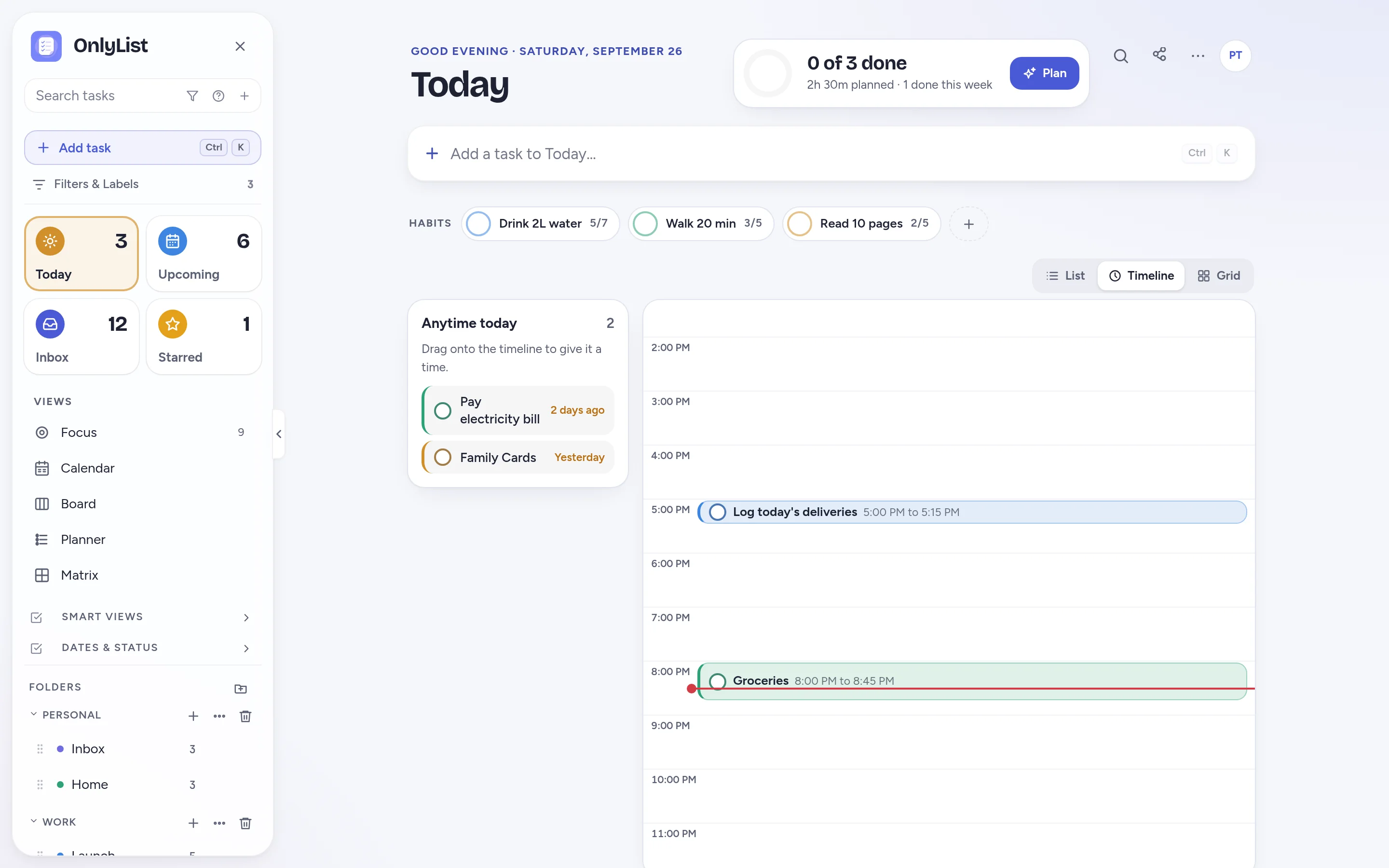
- The Today header shows how many tasks are done and how much time is planned.
Three ways to see today
A list, a timeline, or a grid you color in.
Flip Today between views depending on the kind of day it is.
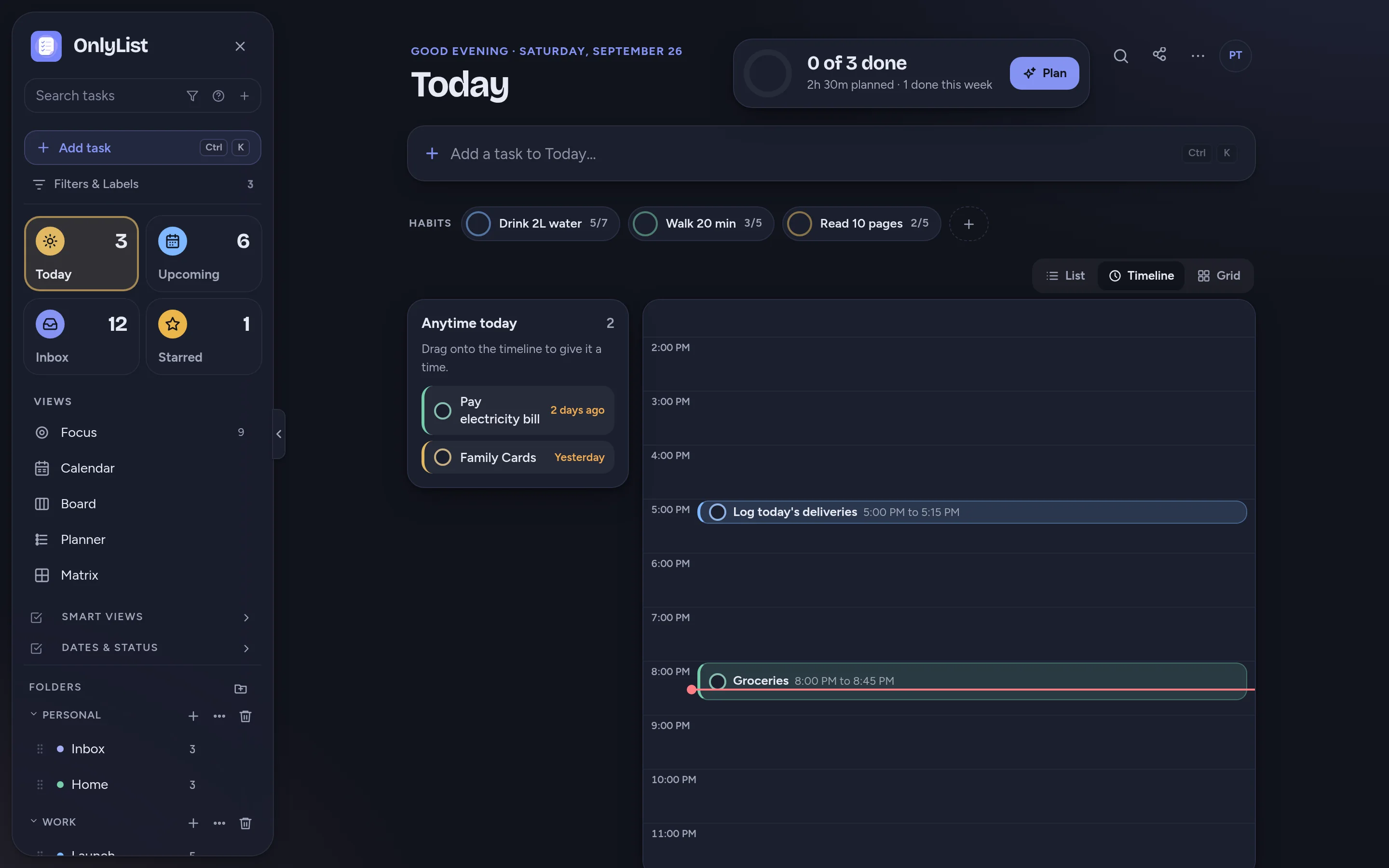
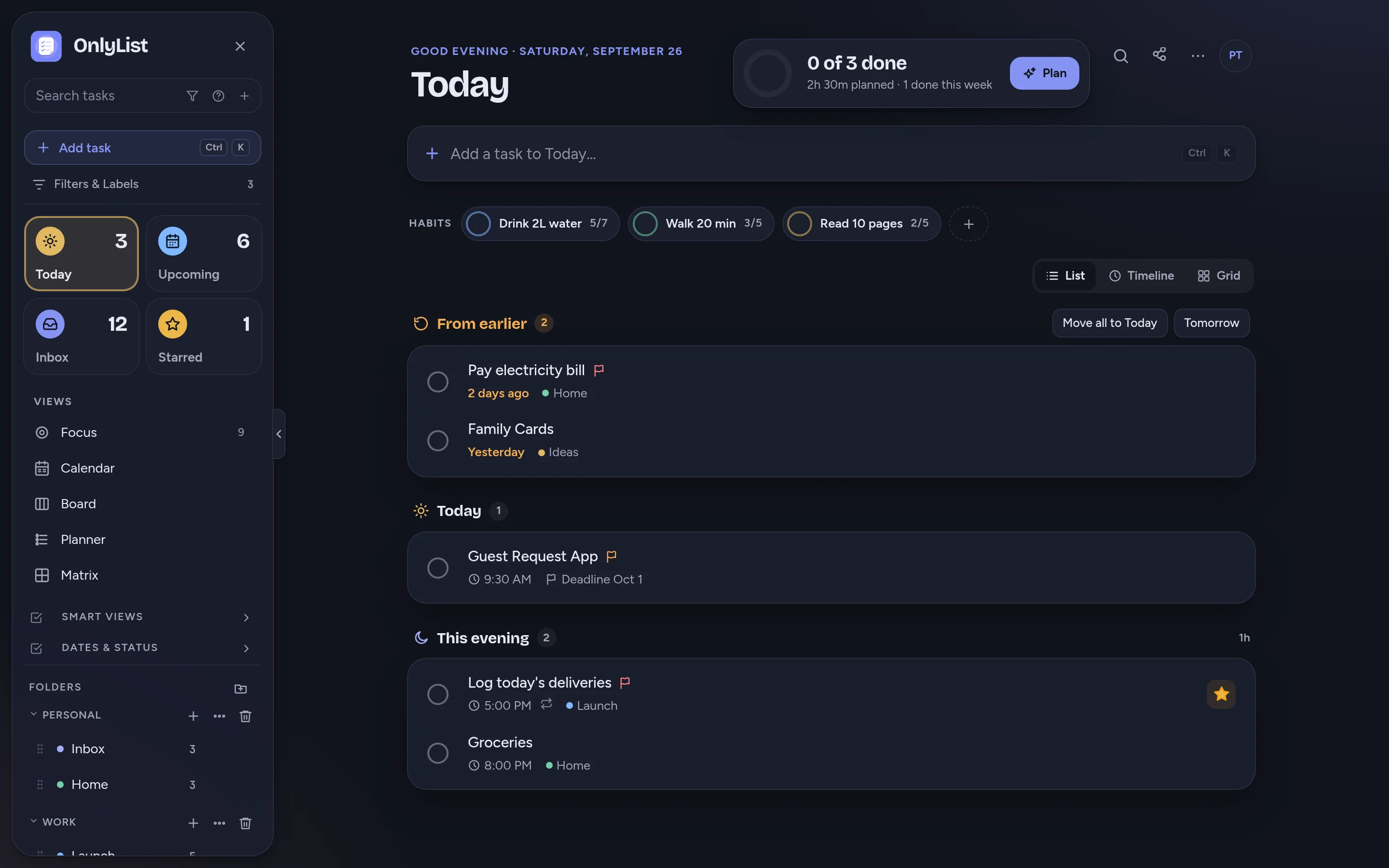
- List: From earlier, Today and This evening, in order.
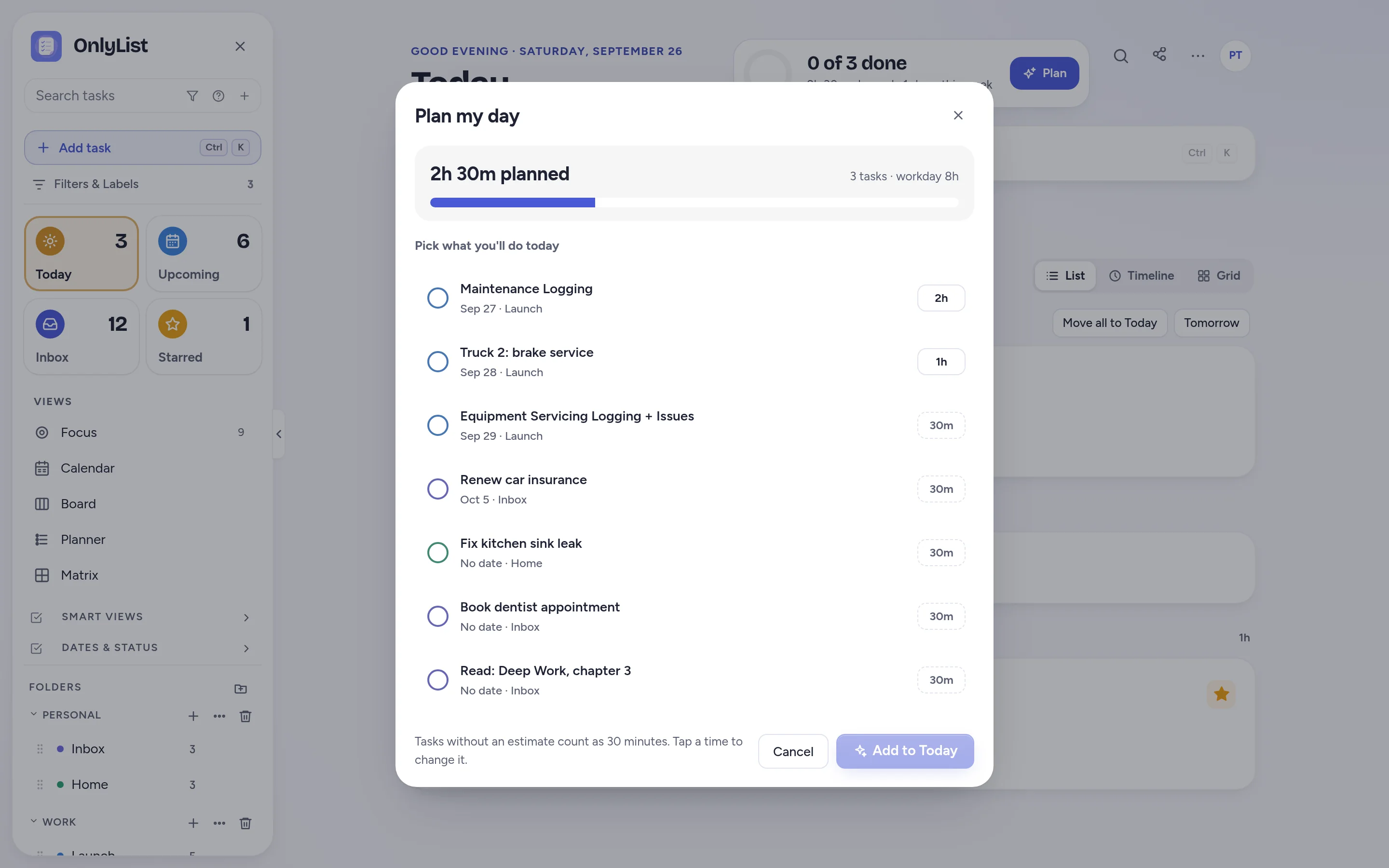
- Timeline: tasks with a time sit on an hour-by-hour line, and the rest wait on the side to be dragged in. (Premium)
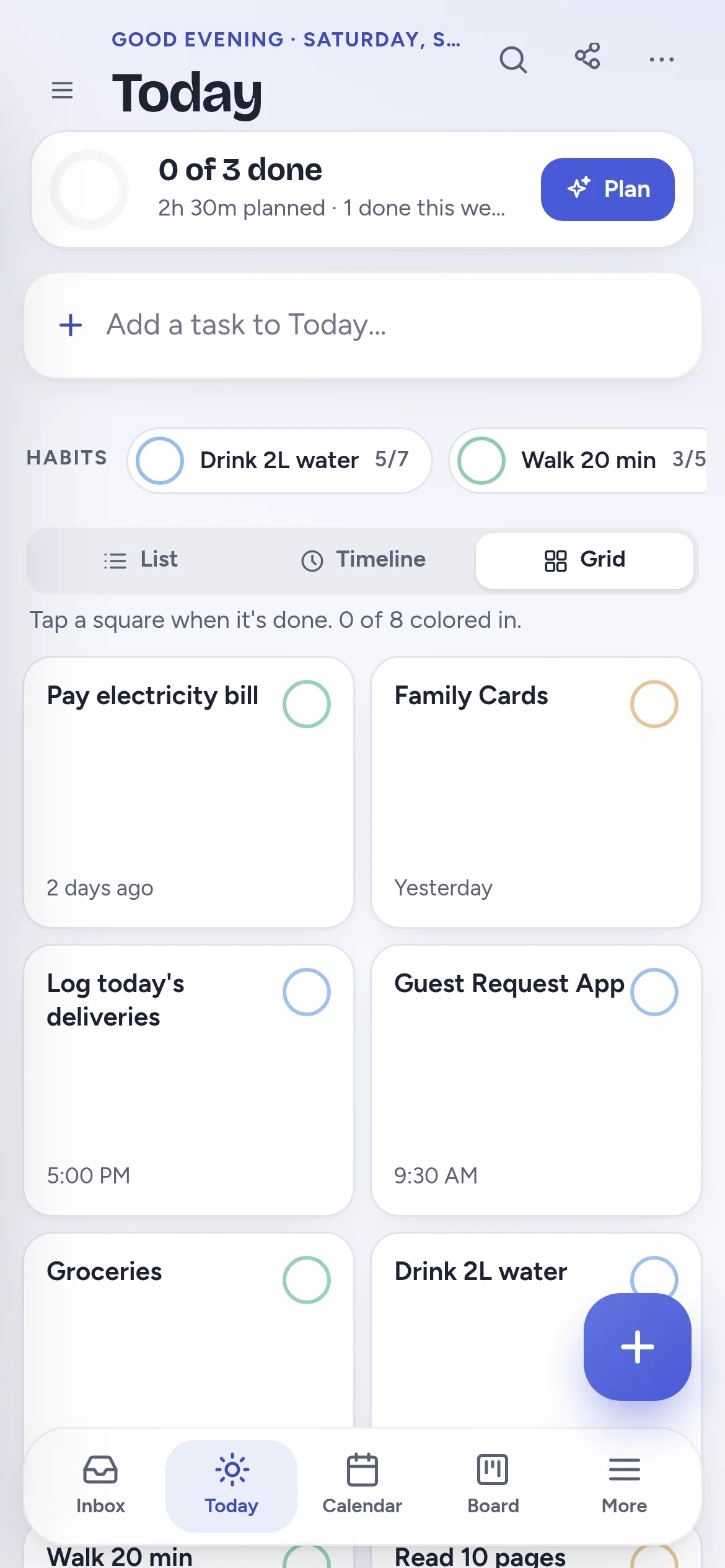
- Grid: one square per task and habit that fills with color when it's done.
Grid
Color in your day as you go.
The grid turns today into a small board of squares. It is oddly satisfying, and it works nicely on a phone.
- Habits appear in the grid too.
- The Today list and grid are free.
From earlier
Skipped a day? Nothing dramatic happens.
Unfinished tasks gather in From earlier. Move them all to today with one tap, push them to tomorrow, or turn on rollover so they move forward on their own.
- This evening keeps after-work tasks out of the workday.
- Habits with weekly goals, like “read 10 pages, 5 times a week”, never shame you for one missed day.
Daily vs weekly
Daily planning and weekly planning answer different questions.
Today: what now?
Use Today and Plan my day each morning. Decide what fits, see the hours, and tick things off. Anything you don't finish waits in From earlier.
Planner: what goes where?
Use the weekly Planner once a week to drag tasks from the backlog into days, so each day starts with a sensible list. (Premium)
Free: unlimited lists and tasks, reminders, snooze, repeats, the Today list and grid, habits, the Focus timer, search, all 9 color schemes and export. Premium ($2.99 a month or $19.99 a year) adds sync across devices, Timeline, Calendar, Board, Planner and Matrix, shared lists, attachments and daily backup. Compare plans
FAQ
Questions people reasonably ask.
How is OnlyList different from a paper planner?
Tasks you don't finish don't vanish or need rewriting. They wait in From earlier, or roll forward automatically. Reminders ring, and repeats come back on their own.
What is Plan my day?
A short list of tasks you could do today, each with a time estimate. Pick the ones that fit and they move to Today, and the header shows how much time you have planned.
Can I see my day hour by hour?
Yes. With Premium, switch Today to Timeline and tasks with a time appear on an hour-by-hour line. Drag untimed tasks onto it to give them a slot.
Can I track habits in my daily planner?
Yes. Add habits with a weekly goal, like walking 5 times a week. They sit on Today and in the grid, and progress counts toward the week rather than a fragile streak.
Does OnlyList work on my phone?
Yes. It runs in any modern browser on your phone, tablet or computer. Add it to your home screen for a full-screen app: in Chrome, choose Install app; on iPhone, open it in Safari, tap Share, then Add to Home Screen. An Android app for Google Play is in testing.
Keep exploring
Other ways to use OnlyList.
Start with one task.
Open OnlyList in your browser, then install it to your home screen. The free plan needs no card and has no ads.
Android: open myonlylist.com/app in Chrome, tap ⋮, then Install app.
iPhone and iPad: open it in Safari, tap Share, then Add to Home Screen.
Computer: in Chrome or Edge, click the install icon in the address bar.