 OnlyList
Weekly task planner
Give your week a shape without over-engineering it.
The Planner shows a backlog on the left and a column for each day. Drag a task into a day and its date updates. That's the whole trick.
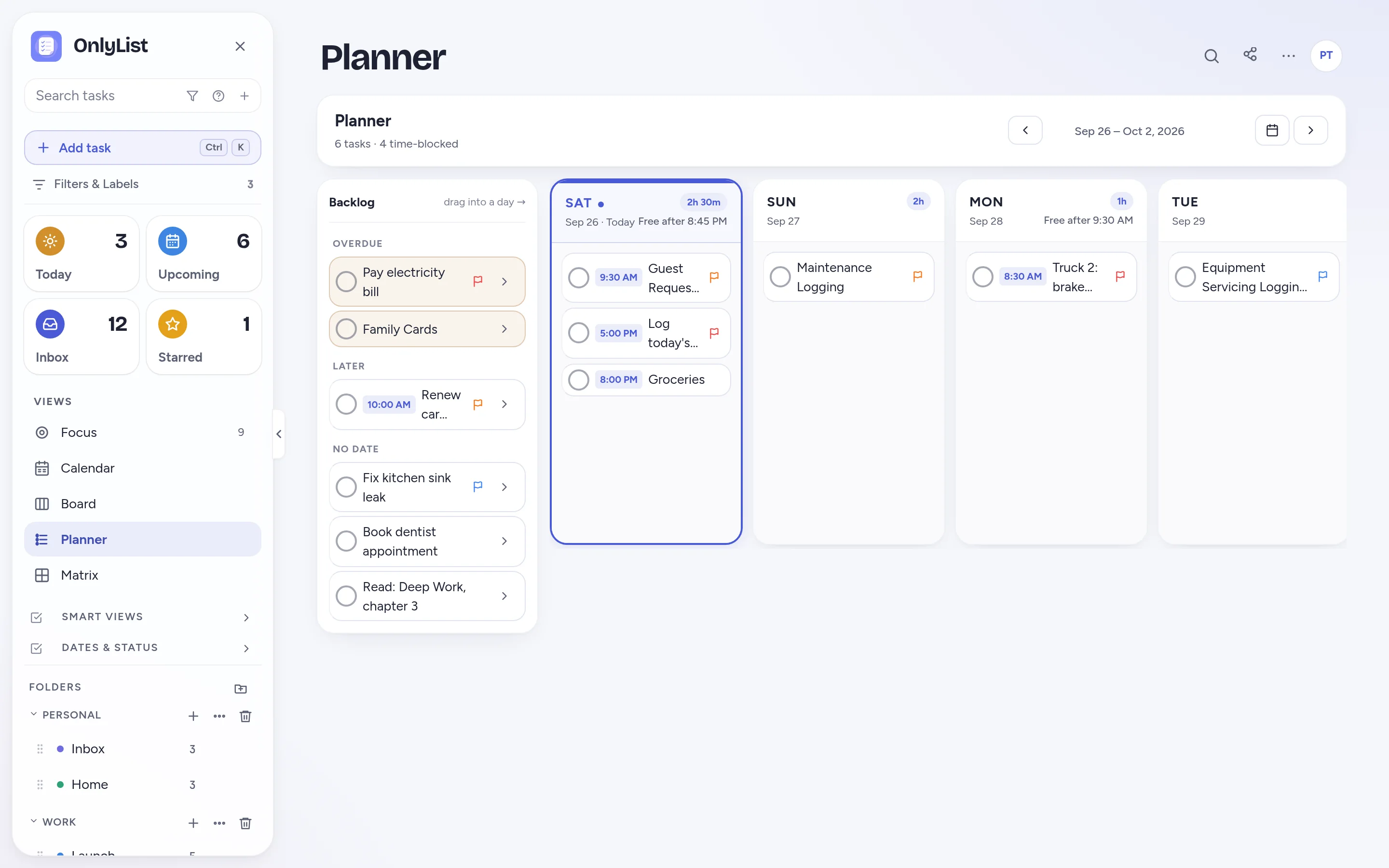
Backlog to day
Drag into a day. The date takes care of itself.
Overdue tasks, tasks for later and tasks with no date sit in the backlog. Drag one into Tuesday and it's due Tuesday. Drag it to Wednesday when Tuesday gets crowded.
- Each day shows how much time is planned and when you're free after.
- Timed tasks show their time. The rest stay anytime tasks.
- Plan across all your lists, or filter down to one.
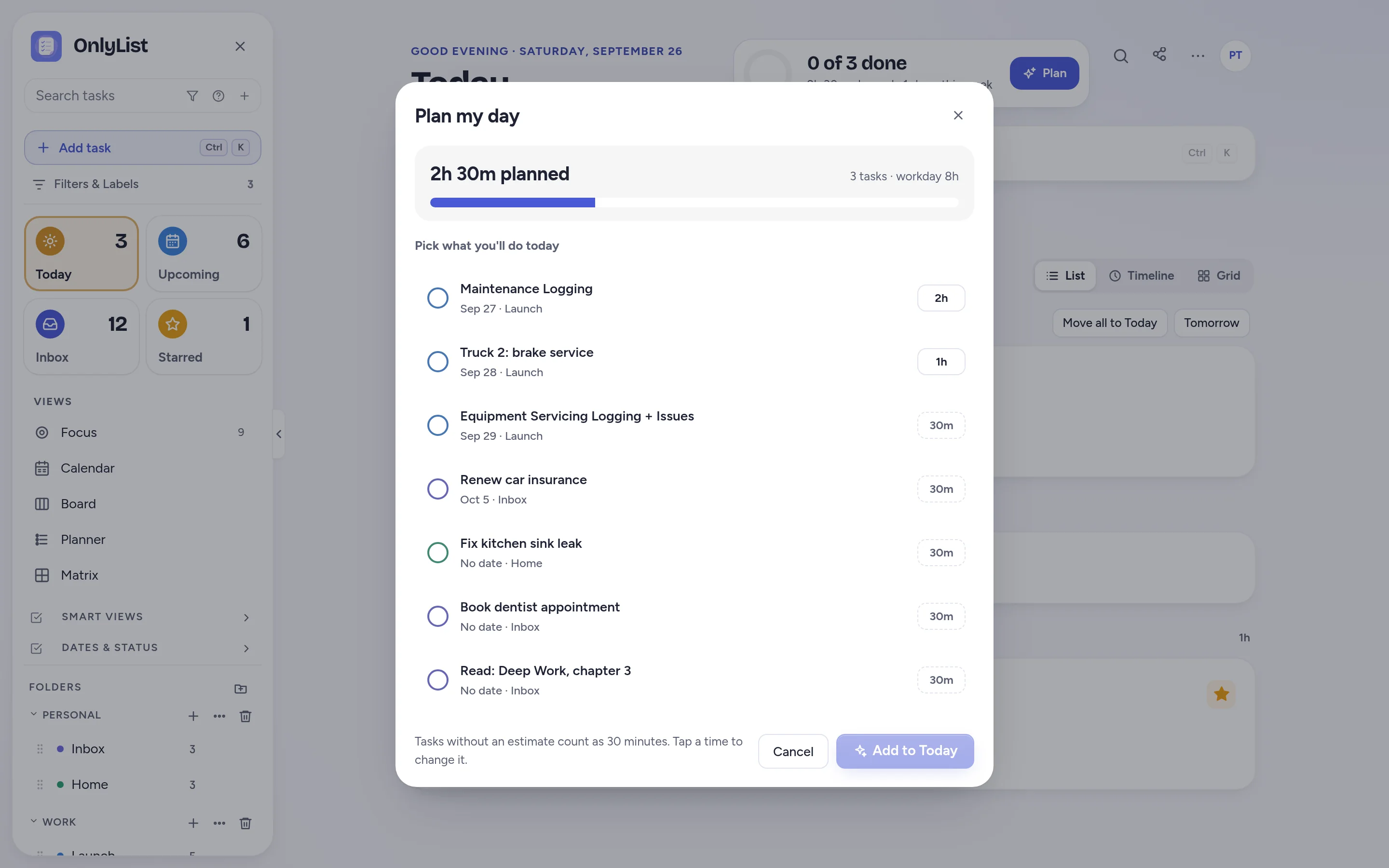
Plan my day
Then plan each morning in a minute.
When the day arrives, Plan my day helps you pick what actually fits, with time estimates adding up as you go.
- Tasks without an estimate count as 30 minutes.
- Works together with Today's list, timeline and grid.
Upcoming
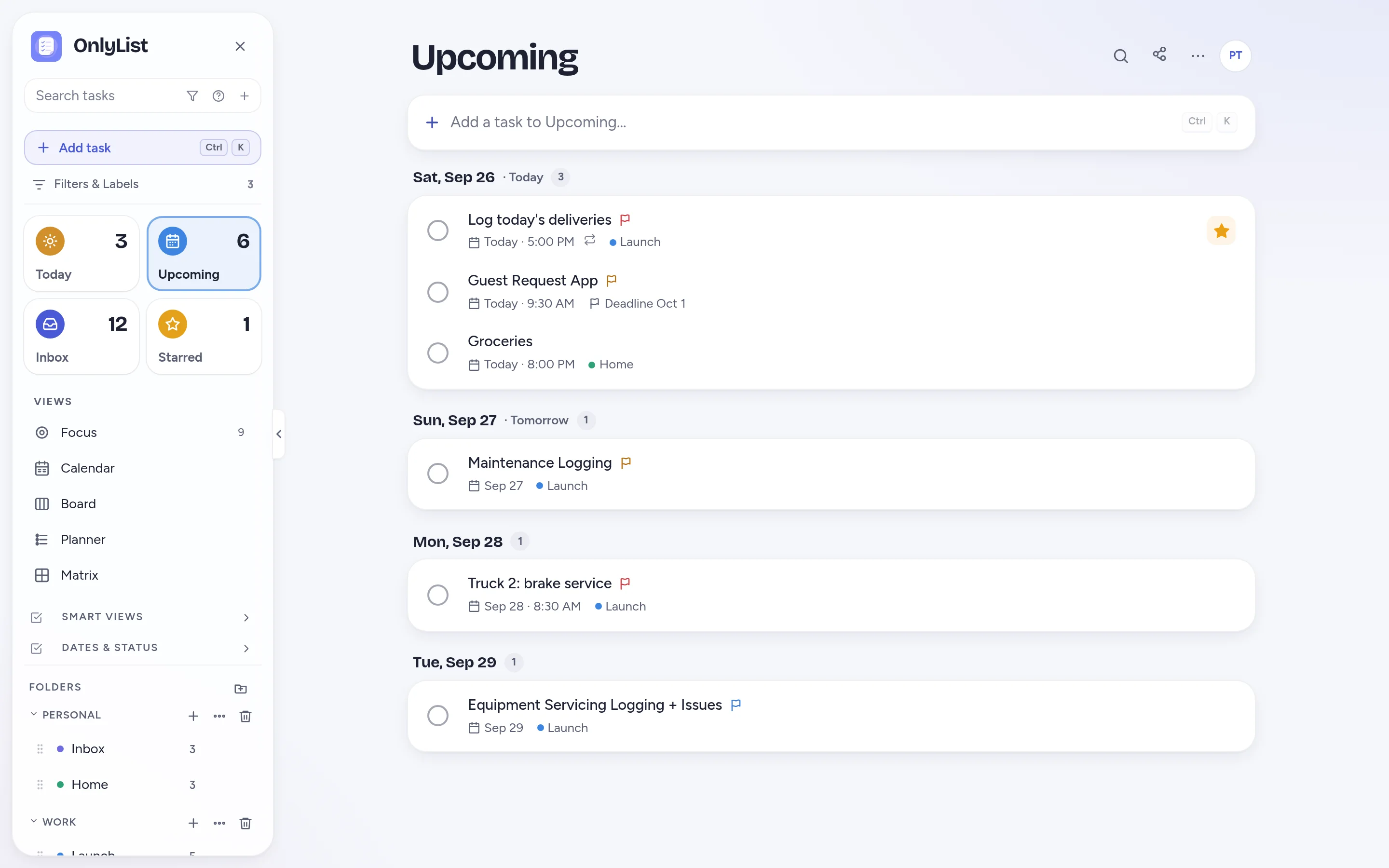
See the week as a simple list, too.
Upcoming groups the coming tasks by day. It's a quick way to check the week without leaving the list view, and it's free.
- Tomorrow and the days after, each on its own sheet.
- Snooze or reschedule without opening a calendar.
How it works
How the weekly planner works.
- CollectCapture tasks as they come up. Don't worry about dates yet. They wait in the backlog.
- PlaceOnce a week, drag tasks into the days where they fit. Watch each day's planned hours.
- AdjustLife happens. Drag a task to another day, or let unfinished ones roll forward.
Different questions
Planner, Calendar, Board and Matrix each answer a different question.
Planner
What belongs on each day this week?
Calendar
What is due when, across the month?
Board
What stage is each piece of work in?
Matrix
What is important, and what is just loud?
Free: unlimited lists and tasks, reminders, snooze, repeats, the Today list and grid, habits, the Focus timer, search, all 9 color schemes and export. Premium ($2.99 a month or $19.99 a year) adds sync across devices, Timeline, Calendar, Board, Planner and Matrix, shared lists, attachments and daily backup. Compare plans
FAQ
Questions people reasonably ask.
How does the weekly planner work?
A backlog column holds overdue tasks, later tasks and tasks with no date. Next to it is a column for each day. Drag a task into a day and it gets that date. Drag between days to reschedule.
Is the Planner different from Plan my day?
Yes. Plan my day helps you choose what fits today. The Planner maps the whole week ahead of time. Many people use the Planner on Sunday and Plan my day each morning.
Does the planner show tasks from all my lists?
Yes, by default. Filter to a single list, like Work or Home, when you want to plan one area at a time.
Is the Planner free?
The Planner is part of Premium, along with Timeline, Calendar, Board and Matrix. The free plan includes Today, Plan my day, Upcoming and the Today grid, which cover most daily planning.
Does OnlyList work on my phone?
Yes. It runs in any modern browser on your phone, tablet or computer. Add it to your home screen for a full-screen app: in Chrome, choose Install app; on iPhone, open it in Safari, tap Share, then Add to Home Screen. An Android app for Google Play is in testing.
Keep exploring
Other ways to use OnlyList.
Start with one task.
Open OnlyList in your browser, then install it to your home screen. The free plan needs no card and has no ads.
Android: open myonlylist.com/app in Chrome, tap ⋮, then Install app.
iPhone and iPad: open it in Safari, tap Share, then Add to Home Screen.
Computer: in Chrome or Edge, click the install icon in the address bar.